
Screenshots

Low risk impact
Is GoFullPage - Full Page Screen Capture Chrome extension safe?
The GoFullPage - Full Page Screen Capture Chrome extension is considered low risk. It only requests basic permissions that do not broadly expose your personal data or browsing history. It is generally safe to install.
Our Recommendation: Safe to install.
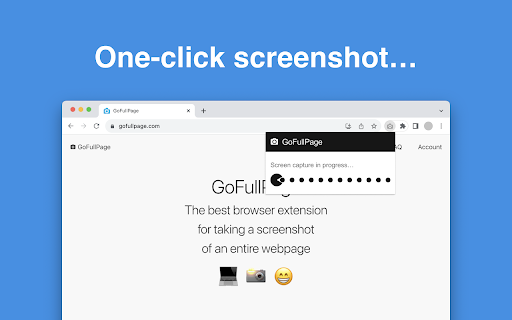
Taking a snapshot of a short webpage takes one quick keypress, but saving an entire sprawling site is another story. If you need to store long documentation, record a full chat thread, or archive design layouts, capturing piece by piece is frustrating. GoFullPage - Full Page Screen Capture solves this issue by automatically scrolling through your active browser window and stitching everything into a single clean file.
How GoFullPage - Full Page Screen Capture Handles Complex Pages
When you trigger the tool, it moves down the screen section by section to piece together the entire layout. It deals with tricky elements like fixed headers, inner scroll bars, and embedded frames. If a page happens to be too massive for your browser memory to store in one file, the system splits the output into separate image tabs so you never lose information.
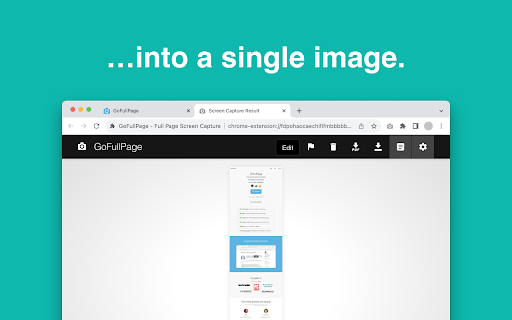
Once the capture finishes, you are taken to a new view showing the full layout. From there, you can choose your favorite file format. Options include PNG, JPEG, and custom PDF paper sizes in both portrait and landscape modes.
GoFullPage vs Awesome Screenshot and Other Alternatives
Many screen capture plugins come loaded with heavy pop-ups, forced user accounts, or intrusive tracking. In a GoFullPage chrome extension review context, this add-on stands out because it focuses purely on utility. It requires minimal browser permissions and runs without extra bloat or advertisements.
Compared to broader suites like GoFullPage vs Awesome Screenshot, this extension remains lightweight. It gives you direct controls without cluttering your browser interface. You can trigger captures with a simple click or use the default shortcut key combinations like Alt+Shift+P.
Key Capabilities and Options
- Learns how to take a full page screenshot in chrome with one action
- Uses an advanced auto-scrolling engine to capture complex websites and chat windows
- Operates as a transparent open source chrome screenshot tool for maximum peace of mind
- Functions as a flexible export webpage to pdf chrome plugin with support for custom sizes
- Supports direct saving to PNG or JPEG image formats
- Handles nested scrollbars and embedded frames smoothly
- Splits oversized web pages automatically to prevent browser memory issues
- Offers image cropping and editing tools in a clean companion viewer
Simple Operations and Daily Use
You do not need to deal with complicated menus or complex setup processes. Once installed, click the icon in your toolbar while viewing the target site. Keep your hands off the mouse for a few seconds while it completes the scrolling action. Your final file appears instantly in a fresh tab, ready for viewing, dragging to your computer desktop, or downloading.
Pros and Cons
- Clean design with no ads or unnecessary background tracking
- Quick execution on standard and long articles
- Multiple file export options including PNG, JPEG, and PDF
- Requires a moment of patience while it finishes auto-scrolling
Try GoFullPage - Full Page Screen Capture on Chrome Today
This extension is completely free to install from the official Chrome Web Store. It also runs smoothly on other Chromium browsers like Microsoft Edge and Brave. Download GoFullPage - Full Page Screen Capture Chrome extension to capture long webpage without scrolling manually right from your browser toolbar.

