
Screenshots


Low risk impact
Is Kami for Google Chrome™ Chrome extension safe?
The Kami for Google Chrome™ Chrome extension is considered low risk. It only requests basic permissions that do not broadly expose your personal data or browsing history. It is generally safe to install.
Our Recommendation: Safe to install.
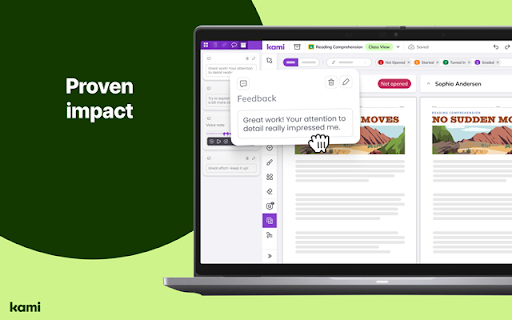
Teachers often spend hours searching for ways to keep students engaged and turn flat handouts into interactive lessons. Kami for Google Chrome™ is a digital learning platform that turns any resource into an interactive experience designed to spark curiosity.
Elevating Instruction in the Classroom
Most educators face the daily challenge of making standard materials accessible to every learner, including English language learners. This Chrome extension helps solve how to create interactive digital lessons directly from your browser without needing complex software. By bringing learning materials to life, the browser tool helps teachers save hours every week on lesson planning and grading.
Key Features of the Learning Platform
- Turns static documents into interactive and accessible digital experiences.
- Integrates seamlessly with popular learning management systems like Google Classroom and Microsoft Teams.
- Helps teachers save an average of 7.8 hours a week on planning and grading.
- Proven to improve student engagement for a large majority of educators.
- Provides built-in tools tailored to help English language learners thrive.
- Works efficiently right from your browser toolbar.
Comparing Kami and Other Classroom Extensions
When looking at options like Kami vs Pear Deck, educators often consider how well each tool fits into existing workflows. While some tools focus purely on slide decks, this extension specializes in transforming existing PDFs and documents into dynamic assignments. It connects directly with platforms like Canvas, Schoology, and D2L Brightspace, making it a flexible choice for schools of all sizes.
Privacy and Trusted Classroom Adoption
Trusted by millions of users worldwide, this extension is designed to support school leaders and teachers with a reliable educational environment. Users who want to review specific data practices can check the official developer privacy documentation on the web store.
- Pros:
- Saves significant time on grading and lesson preparation.
- High student engagement reported by teachers.
- Integrates smoothly with major school platforms.
- Easy to install and access from the browser.
- Cons:
- Requires an internet connection to sync with learning platforms.
- Advanced features may require a connected subscription plan.
Kami for Google Chrome™ — Add to Chrome for Free
The Kami for Google Chrome™ Chrome extension is available for free — click the button on the Web Store to add it and start creating interactive lessons right away. It also works smoothly on other Chromium-based browsers like Microsoft Edge and Brave.