
Screenshots


Low risk impact
Is Mendeley Web Importer Chrome extension safe?
The Mendeley Web Importer Chrome extension is considered low risk. It only requests basic permissions that do not broadly expose your personal data or browsing history. It is generally safe to install.
Our Recommendation: Safe to install.
Gathering references during an academic literature search usually involves a frustrating cycle of downloading scattered PDFs, manually typing authors, and copy-pasting article titles. Mendeley Web Importer eliminates that extra friction by connecting your browser directly to your online research library.
This browser tool sits quietly in your extension toolbar until you hit a page with academic references, journal articles, or open-access repositories. With one tap, it scans the web page for bibliographic metadata and queues the entries for your personal library.
Simplifying Citation Data Capture
When you land on a publisher database, journal homepage, or article list, the Mendeley Web Importer Chrome extension automatically reads the underlying webpage structure. It extracts core details like the paper title, author list, journal name, publication year, and abstract.
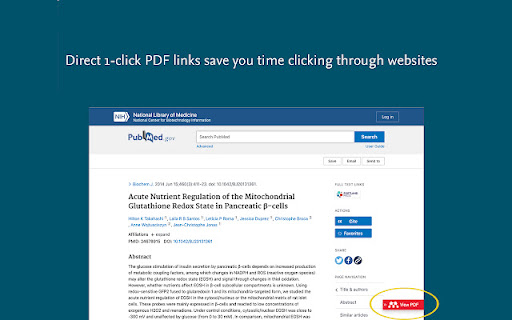
If you have wondered about the best browser extension for research reference management, this add-on ranks high on the list for anyone using the Mendeley ecosystem. Beyond capturing plain text citation data, it also detects whether full-text PDFs are available and offers to attach them directly to your entries.
How It Compares to Other Workflow Solutions
Researchers who evaluate Mendeley Web Importer vs Zotero Connector will notice how tightly integrated this tool is with Mendeley's cloud system. While other reference tools require desktop software running in the background, this extension communicates directly with your online Mendeley account.
Once you import a paper on one browser, your saved references and attached PDFs sync up automatically across devices. Every new account comes with 2GB of free web storage space, giving you room for hundreds of journal PDFs.
Key Capabilities for Academic Researchers
- Scans journal articles and reference lists automatically to extract citation metadata.
- Solves how to save research papers to mendeley without opening secondary desktop software.
- Detects open-access and institutional full-text PDFs available on the webpage.
- Lets you choose specific references from a multi-paper search page before saving.
- Syncs collected entries directly with your web account and 2GB cloud library.
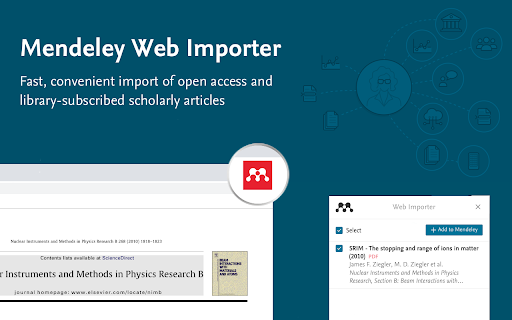
- Displays clear preview details for titles, authors, and publication sources before importing.
Evaluating the Browsing Experience
Because the browser add-on parses complex webpage layouts across hundreds of academic publisher sites, performance can occasionally vary depending on how a journal formats its metadata. On supported repositories, the panel slides out cleanly and shows clear checkboxes beside detected papers, allowing you to selectively import only what matters for your project.
Pros and Cons
- Fast one-click extraction of paper titles, authors, and abstracts.
- Automatically attaches open-access and full-text PDFs when available.
- Directly synced with 2GB of free Mendeley cloud storage.
- Some publisher websites with custom structures may require manual metadata tweaks.
- Requires an active Mendeley account to save collected papers.
Add Mendeley Web Importer to Chrome
The Mendeley Web Importer Chrome extension is free to download on the Chrome Web Store. It works smoothly across Google Chrome and other Chromium-based browsers such as Microsoft Edge or Brave. You can download the Mendeley Web Importer Chrome extension and start collecting research papers in seconds.