
Screenshots
Low risk impact
Is Microsoft Bing Homepage & Search for Chrome Chrome extension safe?
The Microsoft Bing Homepage & Search for Chrome Chrome extension is considered low risk. It only requests basic permissions that do not broadly expose your personal data or browsing history. It is generally safe to install.
Our Recommendation: Safe to install.
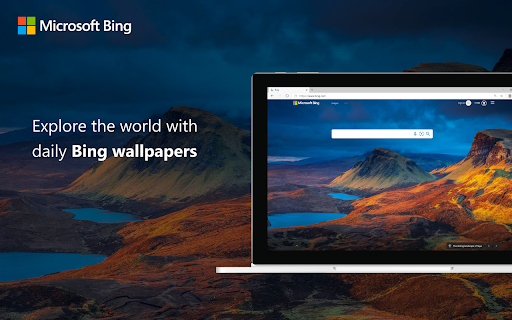
Opening a new browser tab can often feel plain and repetitive. Microsoft Bing Homepage & Search for Chrome turns your standard start page into a visually dynamic hub that keeps you updated on daily events without any extra setup.
By installing this browser add-on, your default startup page transforms into Bing.com, giving you instant access to striking background photography, trending news headlines, local weather, and sports scores every morning. Beyond the visual refresh, the tool adds a slick contextual utility that speeds up web searches while you browse standard pages.
How It Compares to Microsoft Bing vs Google Search Habits
Many users prefer Google for pure query speed, but Microsoft Bing vs Google Search dynamics shift when it comes to visual presentation and daily content discovery. Instead of staring at a blank white screen, this extension offers curated image backgrounds alongside real-time news snippets right as you launch your browser.
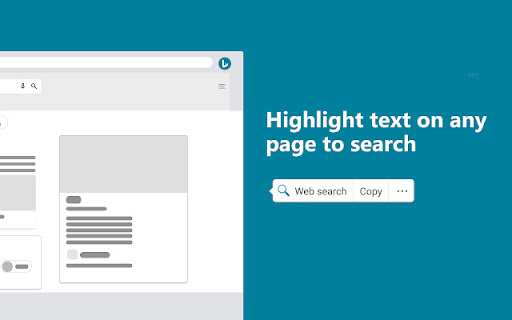
It also streamlines contextual lookups. If you've been wondering how to search highlighted text with bing without opening a new tab, copy-pasting, and hitting enter, this utility reduces that entire routine down to a single contextual action.
Quick Search Highlighted Text Chrome Extension Capabilities
- Daily Visual Homepage: Automatically updates your startup tab with Bing's featured high-resolution images, trending news, sports updates, and weather.
- Right-Click Search Utility: Serves as a quick search highlighted text chrome extension where selecting any phrase on a webpage lets you search Bing instantly.
- Faster Information Gathering: Lets you look up unfamiliar terms, names, or technical words in seconds without interrupting your reading flow.
- Official Developer Support: Built and maintained directly by Microsoft Corporation to ensure seamless performance alongside regular Chrome updates.
- Lightweight Experience: Runs smoothly in the background without slowing down tab loading times or consuming excessive system memory.
Everyday Browsing Experience and Usability
Using this Chrome tool feels very subtle once configured. The biggest change you will notice is when launching your browser or navigating home. The high-definition background photography gives your browser a fresh look every day, while the news feed keeps you aware of current world events before you dive into work.
When reading online articles, highlighting text creates a frictionless way to check references or look up background information. Instead of breaking focus to manage multiple open tabs, the built-in search tool handles your inquiry cleanly and lets you return to work immediately.
Pros and Cons
- Brings high-quality daily background imagery directly to Chrome
- Provides one-click text lookups directly from any webpage
- Keeps trending news and sports scores accessible on launch
- Changes your home page, which might require an adjustment period if you prefer a blank screen
Add Microsoft Bing Homepage & Search for Chrome to Chrome
The Microsoft Bing Homepage & Search for Chrome Chrome extension is available for free — click the button on the Web Store to add it and start setting Bing as your default homepage right away. Because it relies on standard extension architecture, it also functions smoothly on other Chromium-based browsers such as Microsoft Edge or Brave. You can download the Microsoft Bing Homepage & Search for Chrome Chrome extension and start discovering daily news and instant search options in seconds.
