
Screenshots


Low risk impact
Is 네이버 동영상 플러그인 Chrome extension safe?
The 네이버 동영상 플러그인 Chrome extension is considered low risk. It only requests basic permissions that do not broadly expose your personal data or browsing history. It is generally safe to install.
Our Recommendation: Safe to install.
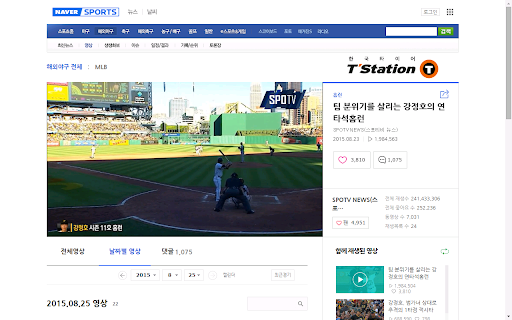
Trying to tune into live broadcasts on Naver using Google Chrome can sometimes leave you stuck with a buffering screen or a prompt requesting missing components. Many Korean media streaming platforms require specific background components to deliver high-bitrate feeds directly within Chromium browsers. 네이버 동영상 플러그인 bridges that gap by allowing Chrome to launch and render native Naver video content seamlessly.
Whether you are trying to watch live baseball games, catch up on breaking news, or stream high-definition entertainment shows on Naver TV, this helper extension handles the underlying playback communication. Without it installed, users attempting to access certain high-definition live feeds will encounter playback restrictions.
Why You Need This Media Extension on Chrome
Starting back when Google Chrome permanently removed support for legacy NPAPI plugins, major Web portals had to create dedicated extensions to maintain stable live video playback. 네이버 동영상 플러그인 was released directly by NAVER Corp. to handle live streaming data protocols within modern browser standards.
If you have been wondering how to watch naver live streaming hd content without quality drops, this background utility ensures your browser receives the high-definition stream directly from Naver's content delivery networks. It runs quietly alongside your web sessions to support real-time broadcasting features.
Key Capabilities and Playback Support
- Enables HD live streaming access across Naver Sports, Naver TV, and Naver News.
- Solves how to watch naver live streaming hd content directly inside the Chrome browser without downloading standalone software.
- Integrates directly with NAVER Corp. official streaming services for real-time video delivery.
- Maintains compatibility with modern Chromium updates following the phase-out of NPAPI plugins.
- Runs automatically in the background whenever a compatible Naver live stream is detected on the page.
Comparing Official Media Extensions
When evaluating naver video plugin vs default player options on the web, the main advantage of installing this tool is access to maximum available resolution streams. Standard web players on portal sites sometimes cap playback quality unless the official extension is detected on your system.
Because this tool is built directly by NAVER Corp., it functions as an authentic connector between Naver's live video servers and your desktop browser, ensuring you do not miss live broadcasts.
Pros and Cons
- Essential for watching high-definition live broadcasts on Naver services.
- Developed directly by NAVER Corp. for high compatibility with their portal.
- Lightweight setup that operates behind the scenes.
- Specifically built for Naver streaming services and offers no functionality on third-party video sites.
- Requires occasional updates to keep pace with main browser changes.
Get 네이버 동영상 플러그인 for Your Browser
You can download the 네이버 동영상 플러그인 Chrome extension for watching live sports and streams directly from the Chrome Web Store at no cost. It installs in seconds and works smoothly across Google Chrome as well as other Chromium-based browsers like Microsoft Edge or Brave. Simply add the extension to your browser to unlock seamless video playback across all supported Naver services.