
Screenshots

Low risk impact
Is IE Tab Chrome extension safe?
The IE Tab Chrome extension is considered low risk. It only requests basic permissions that do not broadly expose your personal data or browsing history. It is generally safe to install.
Our Recommendation: Safe to install.
Many internal company portals and old web apps were built specifically for Internet Explorer, making them nearly impossible to access on modern browsers without extra software.
IE Tab solves this issue by letting you run Internet Explorer directly inside a Google Chrome tab. It accurately emulates the Internet Explorer engine, allowing you to load legacy pages effortlessly without launching a completely separate browser application.
Running Legacy Web Applications in Modern Browsers
When Microsoft phased out Internet Explorer in early 2023, many enterprise users faced massive compatibility headaches. If you have been searching for a smooth way on how to use activex controls in chrome, this browser plugin provides a direct bridge. It leverages native IE rendering versions ranging from IE7 all the way up to IE11, keeping critical internal tools accessible on Windows 11.
Because modern Chrome no longer supports NPAPI plugins, this extension uses a small companion program called ietabhelper.exe. This helper executable acts as a secure communication channel between the Chrome extension and the local Internet Explorer engine installed on your Windows machine.
Key Capabilities and Enterprise Features
- Auto-URLs: Create a custom list of web addresses that will automatically launch using the IE rendering engine.
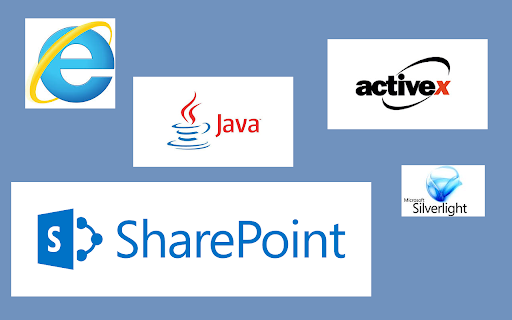
- SharePoint Editing: Edit documents directly inside SharePoint portals without forcing read-only views.
- Legacy Tech Support: Run Silverlight, Java applets, and ActiveX components smoothly inside Chrome.
- Enterprise Controls: Manage configuration rules using Group Policy for company-wide software deployments.
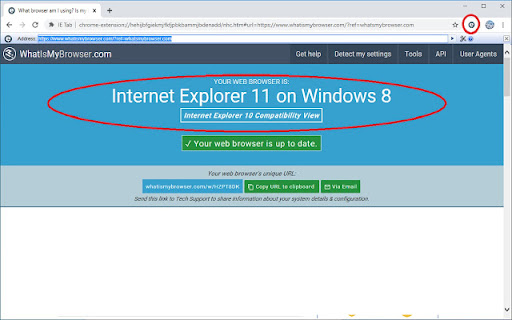
- Version Switching: Toggle between different Internet Explorer emulation modes ranging from IE7 to IE11.
How It Compares to Native Internet Explorer
When looking at ietab vs native internet explorer, the main advantage is convenience. Instead of maintaining an outdated and unmaintained standalone browser, you keep all your web activities inside your daily Chrome environment.
It is worth noting that while a free trial is included to check compatibility with your internal sites, continuing to use the software requires a paid subscription. For businesses needing to deploy the tool across hundreds of workstations, volume licensing and dedicated enterprise support are available.
Safety and Helper File Setup
Because the browser tool utilizes a helper program (ietabhelper.exe) to communicate with native Windows libraries, some security software may prompt you during installation. The developers at Blackfish Software have maintained this integration safely for millions of enterprise and individual users. As with any extension that handles internal web traffic, reviewing the developer's privacy policy is recommended before corporate deployment.
Pros and Cons
- Accurately emulates legacy IE versions directly inside Chrome tabs.
- Saves time by allowing automated URL redirect rules.
- Supports full enterprise Group Policy management.
- Requires a separate helper executable to bypass NPAPI limitations.
- Requires a paid subscription after the trial period expires.
Add IE Tab to Chrome
The IE Tab Chrome extension is available on the Chrome Web Store with a free trial included. It works seamlessly on Windows devices using Chrome or other Chromium-based browsers like Microsoft Edge and Brave. You can download the IE Tab Chrome extension and start running legacy web pages in seconds.


