
 Chrome //
Extensions
Chrome //
Extensions  Chrome
Web store
Chrome
Web store 720p: Resize! Chrome Extension

-
Chrome Extension Page
-
Total Number of Extension users:129 +
-
Reviewed by :4 Chrome Users
-
Author Name:
-
['True', 'Nimja']
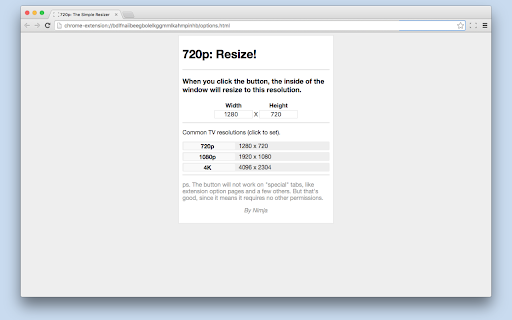
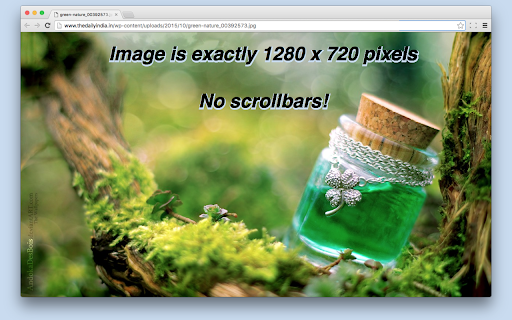
 Ideal for using ChromeCast: This extension forces the inside of your tab to be 720p! - This means no black bars on the TV youre using. Of course this extension can be used for many other things.

It requires no permissions, cannot read your tabs and the code is easy and clean to read.

Of course, the resizing is not limited to just 720p, you can input any resolution you want! A few basic resolutions are included.
How to install 720p: Resize! chrome extension in chrome Browser
You can Follow the below Step By Step procedure to install the 720p: Resize! Chrome Extension to your Chrome Web browser.
- Step 1: Go to the Chrome webstore https://chrome.google.com/webstore or download the extension 720p: Resize! Chrome Extension Download from https://pluginsaddonsextensions.com
- Step 2: Now search for the 720p: Resize! in Chrome Webstore Search and click on the search button.
- Step 3: click on the 720p: Resize! Chrome Extension Link
- Step 4: in the next page click on the Add to Chrome button to Download and Install the 720p: Resize! extension for your Chrome Web browser .
720p: Resize! Chrome extension Download
Looking for a method to 720p: Resize! Download for Chrome then this download link is for you.It is the 720p: Resize! Chrome extension download link you can download and install Chrome Browser.
Download 720p: Resize! chrome extension (CRX)
-
Remove visual clutter and maximizes videos for easy viewing, including full-page theater mode on most sites.
-
Resize window with a 'key'stroke.
-
Fix position:fixed by adding transform:translateZ(0) to element. For smooth scrolling with 60fps.
-
Resize the current window into different customizable layouts (Multiple monitors are supported).
-
Watch videos automatically in HD quality! Supported up to 720p/4k/8k.
-
Restores window size and position after changing screen resolution.
-
Quickly moves your Firefox window to a pre-defined position on your screen.
-
Resize browser's window to mobile, desktion or custom sizes
-
Fullscreen fixer.
-
Adds an additional zoom mode for the default image view.


