Chrome //
Extensions
Chrome //
Extensions  Chrome
Web store
Chrome
Web store App for Skp Web Chrome Extension


-
Chrome Extension Page
-
Total Number of Extension users:7K +
-
Reviewed by :15 Chrome Users
-
Author Name:
-
['qaro.lynnie@gmail.com', 'Lynn']
 App for Skp Web is the easiest way to open and use Skype web from your desktop machine (PC, MAC or Linux).

Important note: 'App for Skp Web' does NOT belong or relate to the official Skype application at all. It is basically an unofficial extension that is developed and maintained independently. The official Skype software is only released for smart phones and web. This unofficial extension is a wrapper to the original Skype web app and tries to make it usable as a browser extension. All credits goes to Skype application/Microsoft corp.

Clicking on the toolbar button, renders Skype web UI in a standalone window. Moreover, the window is re-sizable to your desired choice. Note, to start using this App, you need to have a Skype account.

Simply click on the toolbar button to open Skype in a simple popup window. Once the UI is closed all background activities are halted. Please note that, this addon does not have any settings or options to adjust.

If you want to report bugs or have a feature request, please fill the bug report form in the addon homepage (http://mybrowseraddon.com/skype-app.html).
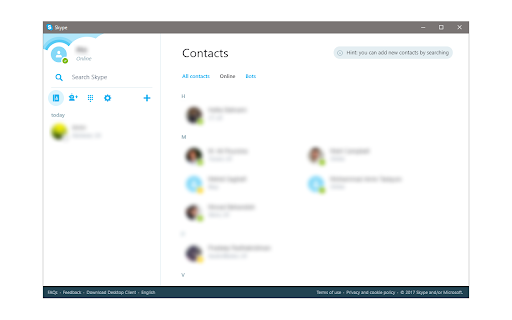
How to install App for Skp Web chrome extension in chrome Browser
You can Follow the below Step By Step procedure to install the App for Skp Web Chrome Extension to your Chrome Web browser.
- Step 1: Go to the Chrome webstore https://chrome.google.com/webstore or download the extension App for Skp Web Chrome Extension Download from https://pluginsaddonsextensions.com
- Step 2: Now search for the App for Skp Web in Chrome Webstore Search and click on the search button.
- Step 3: click on the App for Skp Web Chrome Extension Link
- Step 4: in the next page click on the Add to Chrome button to Download and Install the App for Skp Web extension for your Chrome Web browser .
App for Skp Web Chrome extension Download
Looking for a method to App for Skp Web Download for Chrome then this download link is for you.It is the App for Skp Web Chrome extension download link you can download and install Chrome Browser.
Download App for Skp Web chrome extension (CRX)
-
Shows web camera preview on top of any https site.
-
Place phone calls from any web page
-
This chrome extension use for click to call any number from chrome browser developed by TechExtension (www.techextension.com).
-
Click to Call dialing from web pages, integration with any softphone, screen pops in Salesforce and other CRMs
-
-
Open WhatsApp and other popular messengers on desktop easily and get access to all your chats. Telegram Line and others
-
Share desktops or windows during a call with other Attend Anywhere Video Call participants.
-
The best way to make Video calls using WhatsApp™ web
-
Dial Right From Your Browser
-
Quickly create & join Skype meetings