Chrome //
Extensions
Chrome //
Extensions  Chrome
Web store
Chrome
Web store Beyond 20 Chrome Extension

-
Chrome Extension Page
-
Total Number of Extension users:500K +
-
Reviewed by :199 Chrome Users
-
Author Name:
-
['kakaroto@kakaroto.ca', 'KaKaRoTo']
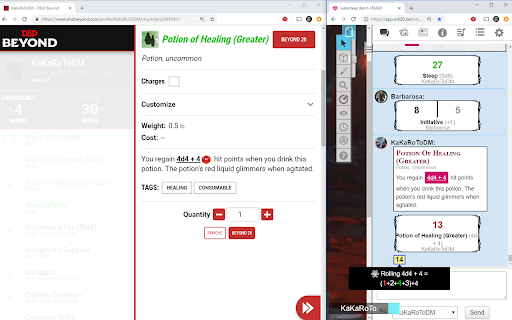
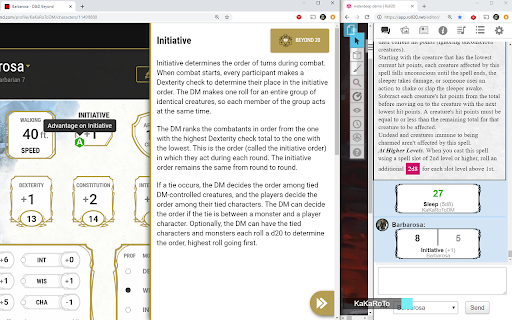
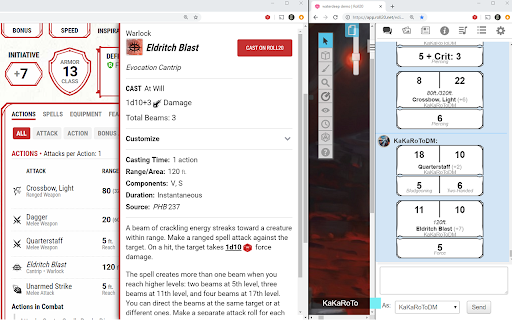
 Beyond20 integrates the D&D Beyond Character Sheet seamlessly into Roll20, Foundry VTT, and Discord.

It can also provide a dice roller for rolling all your skills and attacks directly from the D&D Beyond character sheets or monster stat blocks.

A roll button will be automatically added to D&D Beyond’s character sheet sidebars (abilities, skill checks, saving throws, weapon attacks, spells, class features, and more) that lets you either roll the dice directly into the Virtual TableTop chat, or display the spell card, feature or equipment item for others to see.

Check out the website https://beyond20.here-for-more.info for more information about this extensions. Watch the video tour and check out the screenshots or check the full list of features.

This extension is open source and released under a GPL v3 License with some parts under MIT license.

How to install Beyond 20 chrome extension in chrome Browser
You can Follow the below Step By Step procedure to install the Beyond 20 Chrome Extension to your Chrome Web browser.
- Step 1: Go to the Chrome webstore https://chrome.google.com/webstore or download the extension Beyond 20 Chrome Extension Download from https://pluginsaddonsextensions.com
- Step 2: Now search for the Beyond 20 in Chrome Webstore Search and click on the search button.
- Step 3: click on the Beyond 20 Chrome Extension Link
- Step 4: in the next page click on the Add to Chrome button to Download and Install the Beyond 20 extension for your Chrome Web browser .
Beyond 20 Chrome extension Download
Looking for a method to Beyond 20 Download for Chrome then this download link is for you.It is the Beyond 20 Chrome extension download link you can download and install Chrome Browser.
Download Beyond 20 chrome extension (CRX)
-
Integrate D&D Beyond with The Forge's Bazaar.
-
Connect Dungeon Master's Vault to Roll20.
-
An integration between 5etools and Plutonium.
-
Integrated VTT for D&DBeyond
-
DnDBeyond to TaleSpire Dice roller
-
A suite of modules that make your D&D Beyond browsing experience better
-
This extension adds a shared party bonus area to Roll20.
-
A Click & Roll tool for D&D5e players on Roll20.net
-
DM Screen Extension for D&D Beyond. This extension extends the campaign page to turn it into a DM screen.
-
Customizable DM Screen for D&D Beyond Campaigns & Spell List Manager