Chrome //
Extensions
Chrome //
Extensions  Chrome
Web store
Chrome
Web store Bookmark Sidebar Chrome Extension

-
Chrome Extension Page
-
Total Number of Extension users:300K +
-
Reviewed by :1562 Chrome Users
-
Author Name:
-
['feedback@redeviation.com', 'Philipp König']
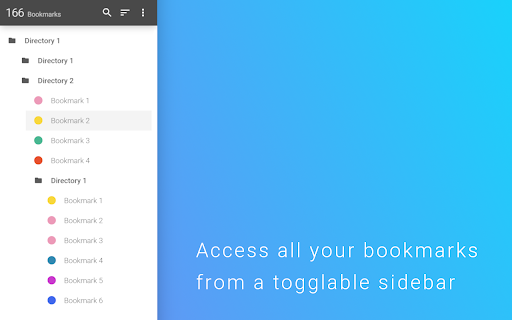
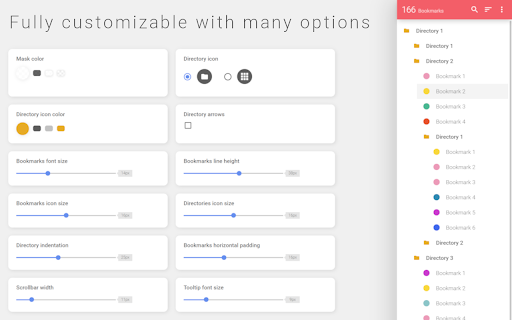
 This extensions allows you to access your bookmarks by clicking on the left or right side your screen. You can edit, delete or rearrange your bookmarks by drag&drop and view some information about them by just clicking them with your left mouse button. You can check your bookmarks for updated or broken urls, too.

You can also open your bookmarks in the side panel provided by Chrome. The sidebar will then be opened alongside the websites and stays there as a permanent sidebar.

If you found a bug, have ideas for features or improvements, please let me know.


How to install Bookmark Sidebar chrome extension in chrome Browser
You can Follow the below Step By Step procedure to install the Bookmark Sidebar Chrome Extension to your Chrome Web browser.
- Step 1: Go to the Chrome webstore https://chrome.google.com/webstore or download the extension Bookmark Sidebar Chrome Extension Download from https://pluginsaddonsextensions.com
- Step 2: Now search for the Bookmark Sidebar in Chrome Webstore Search and click on the search button.
- Step 3: click on the Bookmark Sidebar Chrome Extension Link
- Step 4: in the next page click on the Add to Chrome button to Download and Install the Bookmark Sidebar extension for your Chrome Web browser .
Bookmark Sidebar Chrome extension Download
Looking for a method to Bookmark Sidebar Download for Chrome then this download link is for you.It is the Bookmark Sidebar Chrome extension download link you can download and install Chrome Browser.
Download Bookmark Sidebar chrome extension (CRX)
-
? Now with ChatGPT. Organize bookmarks, favorite websites, apps, ChatGPT and access them everywhere.
-
Tidy Bookmarks
-
Tidy Sidebar
-
Presenting a bookmark in a new way
-
Quick access to bookmarks or favorites.
-
Manage extensions, Quickly enable/disable, Support batching operation, Smart sorting. Fast, Simple and Secure.
-
Immersion-reading mode of Chrome extensions, similar to Safari read mode.
-
Minimalistic's chrome new tab page extension, hope every time open, you have a good mood.
-
An elegant bookmark manager with fuzzy search and more
-
Display a tree of bookmarks under a toolbar button, and search your bookmarks in the omnibox using the 'key'word 'bm'.