Chrome //
Extensions
Chrome //
Extensions  Chrome
Web store
Chrome
Web store BuiltWith Technology Profiler Chrome Extension


-
Chrome Extension Page
-
Total Number of Extension users:300K +
-
Reviewed by :402 Chrome Users
-
Author Name:
-
['support@builtwith.com', 'Level 35 One International Towers Sydney, NSW 2099 Australia', 'True', 'BuiltWith', 'Gary Brewer', 'BuiltWith Pty Ltd']
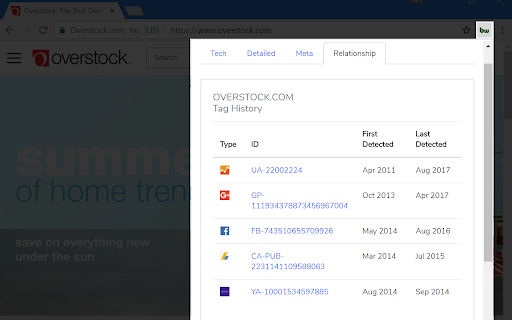
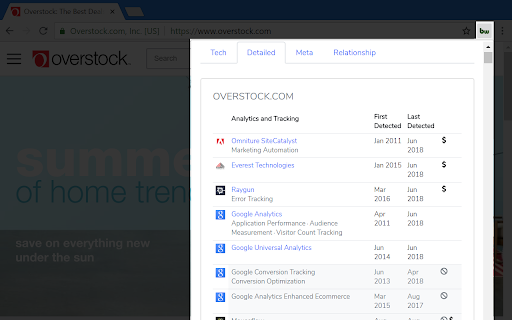
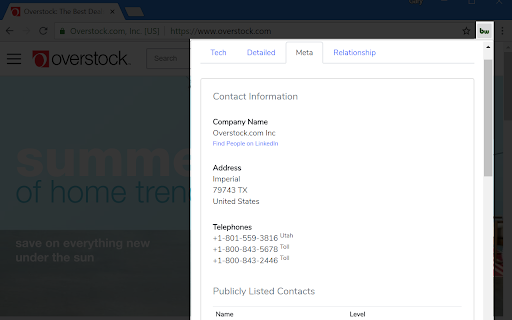
 The BuiltWith Chrome Extension lets you find out what a website is built with by a simple click on the builtwith icon!

BuiltWith is a web site profiler tool. Upon looking up a page, BuiltWith returns all the technologies it can find on the page.

How to install BuiltWith Technology Profiler chrome extension in chrome Browser
You can Follow the below Step By Step procedure to install the BuiltWith Technology Profiler Chrome Extension to your Chrome Web browser.
- Step 1: Go to the Chrome webstore https://chrome.google.com/webstore or download the extension BuiltWith Technology Profiler Chrome Extension Download from https://pluginsaddonsextensions.com
- Step 2: Now search for the BuiltWith Technology Profiler in Chrome Webstore Search and click on the search button.
- Step 3: click on the BuiltWith Technology Profiler Chrome Extension Link
- Step 4: in the next page click on the Add to Chrome button to Download and Install the BuiltWith Technology Profiler extension for your Chrome Web browser .
BuiltWith Technology Profiler Chrome extension Download
Looking for a method to BuiltWith Technology Profiler Download for Chrome then this download link is for you.It is the BuiltWith Technology Profiler Chrome extension download link you can download and install Chrome Browser.
Download BuiltWith Technology Profiler chrome extension (CRX)
-
Discover what runs a website. Frameworks, Analytics Tools, Wordpress Plugins, Fonts - you name it.
-
Identify web technologies & get emails behind any website
-
Identify web technologies
-
As web designers, web developers, SEO specialists or just web enthusiasts, we often find sites and wonder what CMS was used to…
-
Instant SEO analysis and website reviews for SEO, mobile, usability and social media. The freshest data when and where you want it.
-
Instant website analysis, including site rank, site traffic, sources and geography.
-
Analyses any web page for violations of best practices
-
Shows which web technologies the current site is using.
-
This tool detects theme and plugins used on WordPress sites and displays information about them.
-
Discover prospecting information on any website you're visiting by simply clicking the extension's icon.