Chrome //
Extensions
Chrome //
Extensions  Chrome
Web store
Chrome
Web store CompanyCam Chrome Extension

-
Chrome Extension Page
-
Total Number of Extension users:3K +
-
Reviewed by :1 Chrome Users
-
Author Name:
-
['corey.collins@companycam.com', '300 Canopy St Suite 200 Lincoln, NE 68508 US', 'True', 'True', 'CompanyCam', 'CompanyCam', 'CompanyCam']
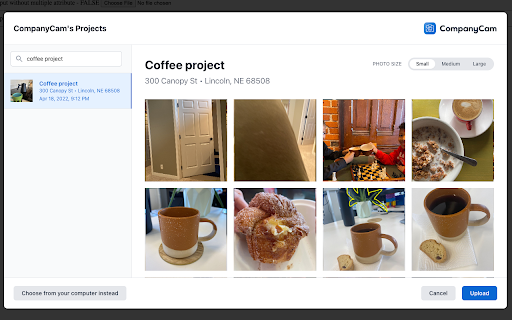
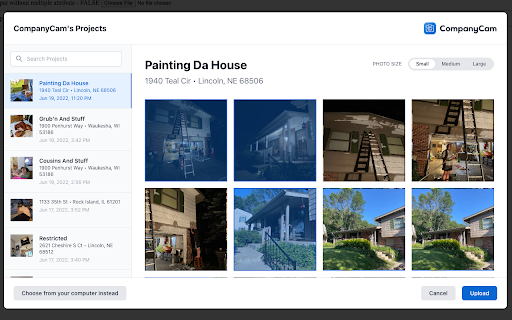
 Whenever you need to upload a photo to your CRM or Job Management software, the CompanyCam browser extension will allow you to pick from any photo you took on CompanyCam. You no longer need to download your photos manually!

Click the homepage link to view the help doc on how to get the extension up and running!

Disclaimer:

This extension works by catching any file upload the user performs and allowing a user to pick a CompanyCam photo instead. It only allows photos directly from CompanyCam to be uploaded.

How to install CompanyCam chrome extension in chrome Browser
You can Follow the below Step By Step procedure to install the CompanyCam Chrome Extension to your Chrome Web browser.
- Step 1: Go to the Chrome webstore https://chrome.google.com/webstore or download the extension CompanyCam Chrome Extension Download from https://pluginsaddonsextensions.com
- Step 2: Now search for the CompanyCam in Chrome Webstore Search and click on the search button.
- Step 3: click on the CompanyCam Chrome Extension Link
- Step 4: in the next page click on the Add to Chrome button to Download and Install the CompanyCam extension for your Chrome Web browser .
CompanyCam Chrome extension Download
Looking for a method to CompanyCam Download for Chrome then this download link is for you.It is the CompanyCam Chrome extension download link you can download and install Chrome Browser.
Download CompanyCam chrome extension (CRX)
-
Dial and call phone numbers from any webpage, or add them to an automated calling list.
-
Kixie PowerCall enhances your Kixie experience by enabling click-to-call, immediate CRM data access and simple activity scheduling.
-
Salesloft Connect enables users to more easily track communication and add people to workflows using Salesforce.com and Gmail.
-
Voice, Video, and SMS integration for your CRM or web application.
-
Enable ClickOnce support in the Browser for Xactimate/XactContents online Estimate Writer.
-
You live in Google Workspace™. So should your CRM.
-
Collaborative agendas, notes, next steps, goals and more with Hypercontext. All within Google Meet and Google Calendar.
-
See everything about your contacts and deals in one place - automatically
-
Houzz Pro CRM for Gmail
-
Find GMB categories, GMB Audits, Review audit, and Post audit. Spy, audit, and crush your GMB competitor with this Local SEO tool.