Chrome //
Extensions
Chrome //
Extensions  Chrome
Web store
Chrome
Web store FMVマイページかんたんアクセス Chrome Extension

-
Chrome Extension Page
-
Total Number of Extension users:70K +
-
Reviewed by :8 Chrome Users
-
Author Name:
-
['fccl.ggl.cws@gmail.com', 'True', 'True', '富士通クライアントコンピューティング株式会社', '富士通クライアントコンピューティング株式会社']
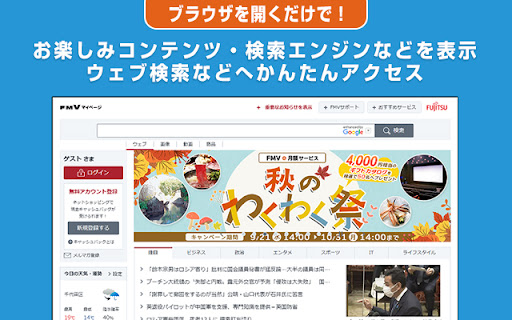
FMVマイページかんたんアクセス chrome extension is FMVマイページコンテンツ・検索エンジン・ショッピングサイトに簡単アクセス。ブラウザーを起動するたびに、FMVマイページコンテンツやウェブ検索が表示されます。.

 ・ブラウザを起動するだけで、簡単にFMVマイページのホームページと専用タブページが開きます!
・アイコンをクリックして開く新しいタブは、使いやすいFMVサーチページ。各種サービスやウェブ検索がすぐに使えます!
How to install FMVマイページかんたんアクセス chrome extension in chrome Browser
You can Follow the below Step By Step procedure to install the FMVマイページかんたんアクセス Chrome Extension to your Chrome Web browser.
- Step 1: Go to the Chrome webstore https://chrome.google.com/webstore or download the extension FMVマイページかんたんアクセス Chrome Extension Download from https://pluginsaddonsextensions.com
- Step 2: Now search for the FMVマイページかんたんアクセス in Chrome Webstore Search and click on the search button.
- Step 3: click on the FMVマイページかんたんアクセス Chrome Extension Link
- Step 4: in the next page click on the Add to Chrome button to Download and Install the FMVマイページかんたんアクセス extension for your Chrome Web browser .
FMVマイページかんたんアクセス Chrome extension Download
Looking for a method to FMVマイページかんたんアクセス Download for Chrome then this download link is for you.It is the FMVマイページかんたんアクセス Chrome extension download link you can download and install Chrome Browser.
Download FMVマイページかんたんアクセス chrome extension (CRX)
-
マイナポイントのアプリケーションです。
-
Yahoo! JAPANのトップページやYahoo!検索を簡単にご利用いただけます。
-
様々なオンライン行政サービスで、マイナンバーカードを利用するためのアプリケーションです。
-
ICカードリーダライタが接続されたパソコンからマイナンバーカードを利用したe-Taxへのログインや、電子証明書の発行機関が提供するICカードを利用した申告・申請等データへの署名、申請データ作成時のCSVファイル等を読込む機能等を提供するアプリケーションです。
-
検索するだけで、毎日楽天スーパーポイントが貯まります!
-
@niftyトップページに簡単にアクセスできます。
-
Yahoo! JAPANに簡単アクセス