Chrome //
Extensions
Chrome //
Extensions  Chrome
Web store
Chrome
Web store Font Identifier by WhatFontIs Chrome Extension

-
Chrome Extension Page
-
Total Number of Extension users:10K +
-
Reviewed by :28 Chrome Users
-
Author Name:
-
['webmaster@whatfontis.com', 'Strada Podarului 11b Bucharest 041653 RO', 'True', 'WhatFontis.com', 'Cuibari Alexandru', 'WHATFONTIS COM SRL']
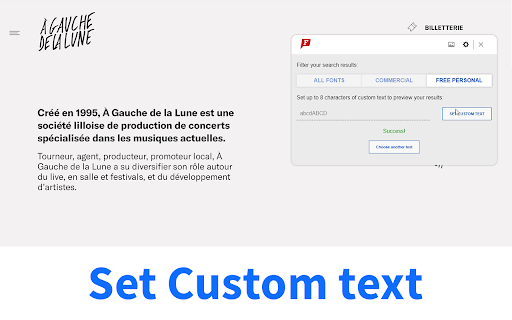
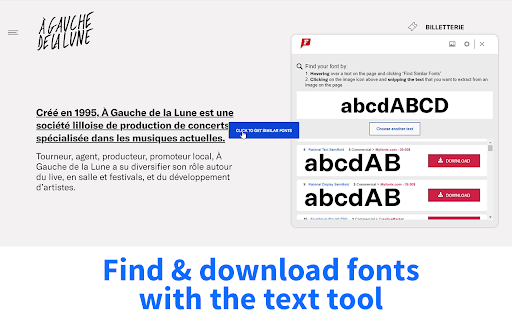
 We help designers (famous or not) to identify any webfont or font from any website. We can do that using the huge WhatFontIs database: 800K+ fonts indexed, free or commercial from almost any foundry.

After identifying the font, the extension will suggest more than 60 fonts very similar in style to the one you are searching for.


How to install Font Identifier by WhatFontIs chrome extension in chrome Browser
You can Follow the below Step By Step procedure to install the Font Identifier by WhatFontIs Chrome Extension to your Chrome Web browser.
- Step 1: Go to the Chrome webstore https://chrome.google.com/webstore or download the extension Font Identifier by WhatFontIs Chrome Extension Download from https://pluginsaddonsextensions.com
- Step 2: Now search for the Font Identifier by WhatFontIs in Chrome Webstore Search and click on the search button.
- Step 3: click on the Font Identifier by WhatFontIs Chrome Extension Link
- Step 4: in the next page click on the Add to Chrome button to Download and Install the Font Identifier by WhatFontIs extension for your Chrome Web browser .
Font Identifier by WhatFontIs Chrome extension Download
Looking for a method to Font Identifier by WhatFontIs Download for Chrome then this download link is for you.It is the Font Identifier by WhatFontIs Chrome extension download link you can download and install Chrome Browser.
Download Font Identifier by WhatFontIs chrome extension (CRX)
-
Scans the web page for font names to display the distinct font names applied on the page.
-
An easy-to-use font inspector to get CSS styles of the selected element
-
This extension allows you to test webfonts out on any website and target which elements the fonts should be applied to.
-
Speed up your design workflow!
-
Choose a font from the Google Font directory with a few text styling options and preview the font styles on the current tab.
-
Easy to check, find the font name used on any website
-
The easiest way to identify fonts on web pages.
-
Identify fonts from websites that appeal to you
-
A simple helper to identify font details from any website
-
A tool to quickly preview and get all the svg assets from a website.