Chrome //
Extensions
Chrome //
Extensions  Chrome
Web store
Chrome
Web store Gmail reverse conversation Chrome Extension

-
Chrome Extension Page
-
Total Number of Extension users:300K +
-
Reviewed by :238 Chrome Users
-
Author Name:
-
['pulpy-soles0n@icloud.com', 'True', 'spaj']
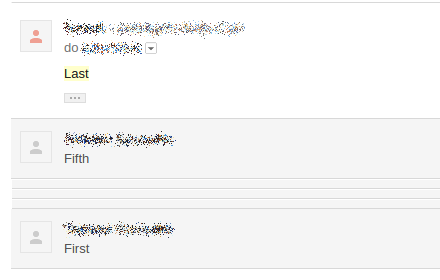
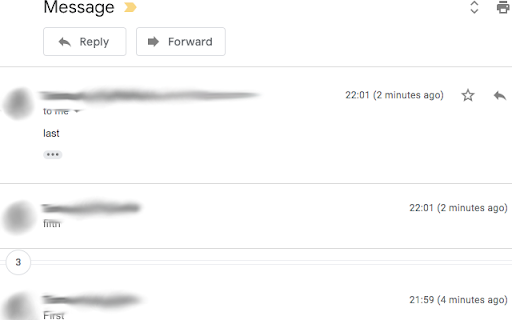
 Gmail reverse conversation (thread) view.
Do you like newest message on the top in conversation view?
Now you can do it with this simple addon.  It reverse email order in thread.

No javascript, css only.

Instruction:
https://gitlab.com/redribbon/gmail-reverse/blob/master/README.md

Source code:
https://gitlab.com/redribbon/gmail-reverse

How to install Gmail reverse conversation chrome extension in chrome Browser
You can Follow the below Step By Step procedure to install the Gmail reverse conversation Chrome Extension to your Chrome Web browser.
- Step 1: Go to the Chrome webstore https://chrome.google.com/webstore or download the extension Gmail reverse conversation Chrome Extension Download from https://pluginsaddonsextensions.com
- Step 2: Now search for the Gmail reverse conversation in Chrome Webstore Search and click on the search button.
- Step 3: click on the Gmail reverse conversation Chrome Extension Link
- Step 4: in the next page click on the Add to Chrome button to Download and Install the Gmail reverse conversation extension for your Chrome Web browser .
Gmail reverse conversation Chrome extension Download
Looking for a method to Gmail reverse conversation Download for Chrome then this download link is for you.It is the Gmail reverse conversation Chrome extension download link you can download and install Chrome Browser.
Download Gmail reverse conversation chrome extension (CRX)
-
This browser extension which reverse emails in conversation view.
-
Set Gmail labels or Gmail filters as tabs
-
How to reverse your Gmail conversation threads to show in chronological order
-
Now you can resize the label column in Gmail
-
Reverse the display of emails in Gmail threads, show the latest email at top.
-
Bookmark mails and start compose in chrome-like tabs, add custom rich-text editor, auto add CC/BCC, reverse conversations and more..
-
Get rid of that nasty horizontal scrolling, with inline images fitting Gmail's message area.
-
In Gmail, auto pop out reply, reply all, forward, show CC/BCC/Subject
-
Set the format of the date and time for mails in your inbox as you want
-
Move the reply/compose box to the top of conversation thread. Allows you to refer the latest response as you compose the reply.