Chrome //
Extensions
Chrome //
Extensions  Chrome
Web store
Chrome
Web store Image Search Chrome Extension

-
Chrome Extension Page
-
Total Number of Extension users:1K +
-
Reviewed by :12 Chrome Users
-
Author Name:
-
['Quickrr']
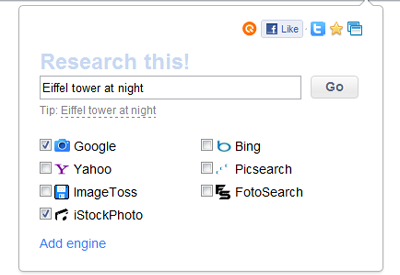
 Search for images in multiple sources simultaneously.

Chrome extension by http://quickrr.com
How to install Image Search chrome extension in chrome Browser
You can Follow the below Step By Step procedure to install the Image Search Chrome Extension to your Chrome Web browser.
- Step 1: Go to the Chrome webstore https://chrome.google.com/webstore or download the extension Image Search Chrome Extension Download from https://pluginsaddonsextensions.com
- Step 2: Now search for the Image Search in Chrome Webstore Search and click on the search button.
- Step 3: click on the Image Search Chrome Extension Link
- Step 4: in the next page click on the Add to Chrome button to Download and Install the Image Search extension for your Chrome Web browser .
Image Search Chrome extension Download
Looking for a method to Image Search Download for Chrome then this download link is for you.It is the Image Search Chrome extension download link you can download and install Chrome Browser.
Download Image Search chrome extension (CRX)
-
Adds an option to the context menu to reverse search an image on various services
-
Find similar images in popular search engines
-
A faster way to search the web
-
Right click any image to instantly get reverse image search results from Google, TinEye, Yandex, Bing, or a combination.
-
Search similar image by 'Google search by Image'.
-
Search images on your browser just one click.
-
Select the search engine and find everything you need. Easy to use, there is a quick search.
-
One search box. Many buttons.
-
Search any web-image via Google Images.
-
Search for similar images in Yandex with open source code, without advertising and analytics.