Chrome //
Extensions
Chrome //
Extensions  Chrome
Web store
Chrome
Web store Lightshot (screenshot tool) Chrome Extension

-
Chrome Extension Page
-
Total Number of Extension users:2M +
-
Reviewed by :6798 Chrome Users
-
Author Name:
-
[]
 Lightshot is the fastest way to take a customizable screenshot. Simple interface, nothing useless and light weight.

Features:
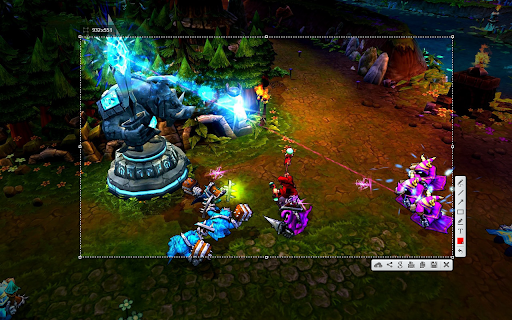
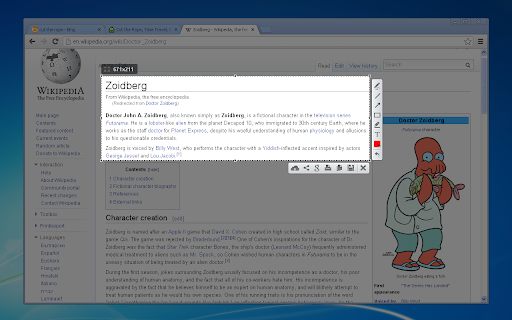
* take screenshot and share it in few clicks
* select any part of the page
* edit screenshot in place
* save on a disk or upload to the cloud
* search for similar screenshots
* copy screenshot in clipboard

More information here: http://app.prntscr.com/
Privacy policy: https://app.prntscr.com/en/privacy.html?privacy

Clarification of the extension permissions:
* Read your browsing history - Chrome adds this line when we request tabs manipulation permission. Lightshot opens screenshot in a new tab, that is why we need it.
* Display notifications - Lightshot displays notification every time you upload screenshot
* Modify data you copy and paste - Lightshot allows you to copy screenshot into your Clipboard
* Manage your downloads - Lightshot allows you to save screenshot as a new file (works using download functions)

Contact e-mail: support@skillbrains.com Send your requests and bug reports here. We appreciate your contribution!

How to install Lightshot (screenshot tool) chrome extension in chrome Browser
You can Follow the below Step By Step procedure to install the Lightshot (screenshot tool) Chrome Extension to your Chrome Web browser.
- Step 1: Go to the Chrome webstore https://chrome.google.com/webstore or download the extension Lightshot (screenshot tool) Chrome Extension Download from https://pluginsaddonsextensions.com
- Step 2: Now search for the Lightshot (screenshot tool) in Chrome Webstore Search and click on the search button.
- Step 3: click on the Lightshot (screenshot tool) Chrome Extension Link
- Step 4: in the next page click on the Add to Chrome button to Download and Install the Lightshot (screenshot tool) extension for your Chrome Web browser .
Lightshot (screenshot tool) Chrome extension Download
Looking for a method to Lightshot (screenshot tool) Download for Chrome then this download link is for you.It is the Lightshot (screenshot tool) Chrome extension download link you can download and install Chrome Browser.
Download Lightshot (screenshot tool) chrome extension (CRX)
-
Since 2015 The most popular tool for your day to day. Whole page screenshot, sharing and much more.
-
Capture FULL page screenshots. Edit and save screenshots. Record screencasts - record video from your screen. Record how-to guides.
-
In Februrary 2018, Lightshot (https://app.prntscr.com/en/index.html), a populat screenshot sharing service, changed their website…
-
An easy tool for taking screenshots (full screen / visible part / selected by yourself)
-
Easy one click screenshot. The screenshot comes in a new tab.
-
НОВИНКА: 'Спросить AI' на базе ChatGPT! Выдели область и попроси решить задачу, объяснить, перевести и т.д.
-
Take a screenshot
-
Screenshot Easy - The easiest way to take a customizable screenshot and share to friends
-
Take FULL webpage screenshots. Capture, edit and save them to PDF/JPEG/GIF/PNG, upload, print, send to OneNote, clipboard or email.
-
The best screen recorder and screen capture & screenshot tool to record screen.