Chrome //
Extensions
Chrome //
Extensions  Chrome
Web store
Chrome
Web store Make Wikipedia #1 Chrome Extension

-
Chrome Extension Page
-
Total Number of Extension users:175 +
-
Reviewed by :7 Chrome Users
-
Author Name:
-
['True', 'Stephen LaPorte']
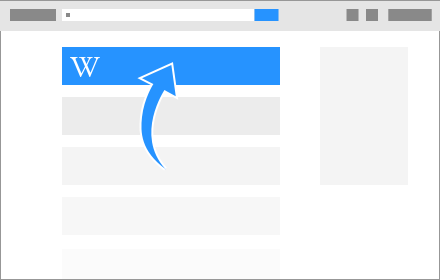
Make Wikipedia #1 chrome extension is This extension will move Wikipedia pages to the top of your Google search results.

None
How to install Make Wikipedia #1 chrome extension in chrome Browser
You can Follow the below Step By Step procedure to install the Make Wikipedia #1 Chrome Extension to your Chrome Web browser.
- Step 1: Go to the Chrome webstore https://chrome.google.com/webstore or download the extension Make Wikipedia #1 Chrome Extension Download from https://pluginsaddonsextensions.com
- Step 2: Now search for the Make Wikipedia #1 in Chrome Webstore Search and click on the search button.
- Step 3: click on the Make Wikipedia #1 Chrome Extension Link
- Step 4: in the next page click on the Add to Chrome button to Download and Install the Make Wikipedia #1 extension for your Chrome Web browser .
Make Wikipedia #1 Chrome extension Download
Looking for a method to Make Wikipedia #1 Download for Chrome then this download link is for you.It is the Make Wikipedia #1 Chrome extension download link you can download and install Chrome Browser.
Download Make Wikipedia #1 chrome extension (CRX)
-
Displays a small floating wiki globe over movie/actor pages in IMDB that links to equivalent page in Wikipedia (Support 6 languages)
-
Checks a Wikipedia user's watchlist for updates.
-
A massive redesign of the Wikipedia website. Enhanced design includes a more user friendly interface that increases readability.