Chrome //
Extensions
Chrome //
Extensions  Chrome
Web store
Chrome
Web store MultiBar Chrome Extension


-
Chrome Extension Page
-
Total Number of Extension users:1K +
-
Reviewed by :29 Chrome Users
-
Author Name:
-
['True', 'dougp']
 Provides more flexibility on the bookmarks bar by allowing you to flip between multiple sets of bookmarks at the click of a button.

Setup
=====
Please back up the contents of your bookmarks bar before starting!

On installation, MultiBar will create 2 bookmark folders:

Other bookmarks
   MultiBar
      Bar1
      Bar2

Bar1 represents your current bookmarks bar.

You may rename the folders and add as many of your own as you wish. Add bookmarks to your folders, but leave Bar1 (or whatever you rename it to) empty, as your currently displayed bookmarks bar contents will be moved there when you switch.

Clicking on the MultiBar icon will switch to the next folder in sequence.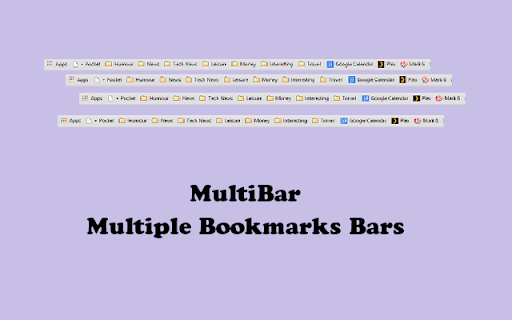
How to install MultiBar chrome extension in chrome Browser
You can Follow the below Step By Step procedure to install the MultiBar Chrome Extension to your Chrome Web browser.
- Step 1: Go to the Chrome webstore https://chrome.google.com/webstore or download the extension MultiBar Chrome Extension Download from https://pluginsaddonsextensions.com
- Step 2: Now search for the MultiBar in Chrome Webstore Search and click on the search button.
- Step 3: click on the MultiBar Chrome Extension Link
- Step 4: in the next page click on the Add to Chrome button to Download and Install the MultiBar extension for your Chrome Web browser .
MultiBar Chrome extension Download
Looking for a method to MultiBar Download for Chrome then this download link is for you.It is the MultiBar Chrome extension download link you can download and install Chrome Browser.
Download MultiBar chrome extension (CRX)
-
Switch the bookmarks bar easily
-
Your bookmarks in one place, organised, always only a click away.
-
A browser extension that sorts and organizes bookmarks, also has an edit mode.
-
Use bookmarks and bookmarklets from the context menu.
-
Switch between multiple bookmark bars easily! [WARNING] Update from Sep 2017: This extension is currently in beta - please back up…
-
A more efficient way to view and manage your bookmarks menu.
-
Button bar, combining downloads, bookmarks, extensions, history, view source, print, and more from a single button. Awesome!
-
A partition icon for spacing the extension buttons on your toolbar
-
Let you quickly search through your bookmarks in a floating bookmarks bar. It can even show notifications with no.tify.
-
Replace standard New Tab. Each bookmark folder is a button. Click a button to open a window with links.