Chrome //
Extensions
Chrome //
Extensions  Chrome
Web store
Chrome
Web store My IP address Chrome Extension


-
Chrome Extension Page
-
Total Number of Extension users:40K +
-
Reviewed by :402 Chrome Users
-
Author Name:
-
['info@webdevmedia.nl', 'webdevmedia']
 This extension shows detailed information about your IP address, domain and ISP. For example the ISP name, location, ISP, DNS, whois, routing, hosting, domain neighbors, DNSBL, BGP and ASN information.

Functions:
-Summary of the network information like ISP, ASN, BGP, subnet, DNS servers and reverse DNS.
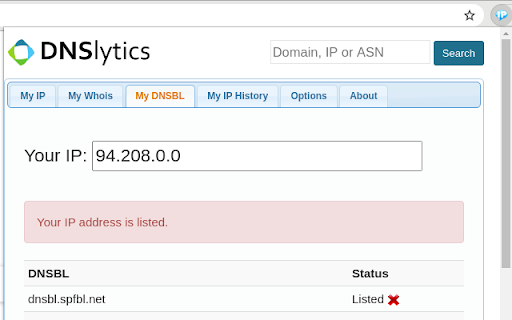
-Checks to see if your IP address is listed on the most popular DNS based anti-spam databases.
-Checks to see if your IP address is listed on the most popular blocklists.
-See all official registration information related to your IP address.
-Find other websites hosted on the same IP address (domain neighbors).
-Shows the geographical location of your IP address.
-Summary of the country where your IP address is located.



How to install My IP address chrome extension in chrome Browser
You can Follow the below Step By Step procedure to install the My IP address Chrome Extension to your Chrome Web browser.
- Step 1: Go to the Chrome webstore https://chrome.google.com/webstore or download the extension My IP address Chrome Extension Download from https://pluginsaddonsextensions.com
- Step 2: Now search for the My IP address in Chrome Webstore Search and click on the search button.
- Step 3: click on the My IP address Chrome Extension Link
- Step 4: in the next page click on the Add to Chrome button to Download and Install the My IP address extension for your Chrome Web browser .
My IP address Chrome extension Download
Looking for a method to My IP address Download for Chrome then this download link is for you.It is the My IP address Chrome extension download link you can download and install Chrome Browser.
Download My IP address chrome extension (CRX)
-
What is my IP address?
-
Simple script which places the IP of the current website in the bottom right.
-
Show all of your local and external (IPv4 & IPv6) addresses
-
The Ultimate online investigation tool! See detailed information about every IP Address, Domain Name and Provider.
-
Check your IP Address, Proxy IP, Proxy Host and see some more other additional information.
-
Find out what does your IP address say about you.
-
Shows country flag and other IP / domain information in the location bar.
-
View your IP address and network information
-
This extension shows the external&internal IP addresses when you click the extension icon. https://helloacm.com/what-is-my-ip/
-
This extension displays your public IPv4 address, provider name and some location.