Chrome //
Extensions
Chrome //
Extensions  Chrome
Web store
Chrome
Web store Notifier for WhatsApp Web Chrome Extension


-
Chrome Extension Page
-
Total Number of Extension users:300K +
-
Reviewed by :1216 Chrome Users
-
Author Name:
-
['whatsapp.web.notifier@gmail.com', 'Social Apps']
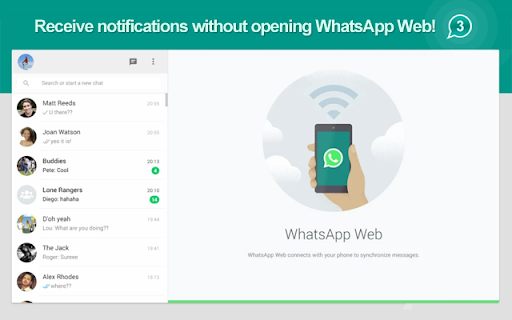
 Get WhatsApp™ notifications directly on Google Chrome without opening WhatsApp™ Web!
Then, just open a New Tab and start chatting!

------------------------------------------------------------------------------------------

WhatsApp™ is a smartphone messenger, now also available from the WEB!

Download the latest version of WhatApp to your phone to use WhatsApp™ Web.

WhatsApp™ for Android:
http://bit.ly/whatsapp_googleplay

WhatsApp™ for iOS:
http://bit.ly/WhatsApp_iOS

------------------------------------------------------------------------------------------

Frequently Asked Questions (FAQ):

WHAT DEVICES SUPPORT WHATSAPP™ WEB?
WhatsApp Web is currently supported by Android and iOS.

WHATS THE ORANGE ICON WITH AN EXCLAMATION MARK (!) IN IT?
This icon appears when WhatsApp™ web loses connection to phone.

WHATS THE RED ICON WITH AN (X) IN IT?
This icon appears when a session of WhatsApp™ Web has been opened in other broswer or PC.

WHATS THE GRAY ICON WITH (...) IN IT?
This icon appears when WhatsApp™ Web is loading.


------------------------------------------------------------------------------------------

WhatsApp is a trademark of WhatsApp LLC. This extension is an unofficial enhacement for WhatsApp™ Web and is not related in any way to WhatsApp LLC.
How to install Notifier for WhatsApp Web chrome extension in chrome Browser
You can Follow the below Step By Step procedure to install the Notifier for WhatsApp Web Chrome Extension to your Chrome Web browser.
- Step 1: Go to the Chrome webstore https://chrome.google.com/webstore or download the extension Notifier for WhatsApp Web Chrome Extension Download from https://pluginsaddonsextensions.com
- Step 2: Now search for the Notifier for WhatsApp Web in Chrome Webstore Search and click on the search button.
- Step 3: click on the Notifier for WhatsApp Web Chrome Extension Link
- Step 4: in the next page click on the Add to Chrome button to Download and Install the Notifier for WhatsApp Web extension for your Chrome Web browser .
Notifier for WhatsApp Web Chrome extension Download
Looking for a method to Notifier for WhatsApp Web Download for Chrome then this download link is for you.It is the Notifier for WhatsApp Web Chrome extension download link you can download and install Chrome Browser.
Download Notifier for WhatsApp Web chrome extension (CRX)
-
Easy access to WhatsApp web with enhancing and privacy features.
-
A set of useful and lightweight tools for WhatsApp™ Web client.
-
Enhances the Google Play Store™ with various features.
-
Share the current page via Telegram messenger in just one click
-
Use Whatsapp Web as always with extra powerful functions and utils
-
Chat in desktop App for WhatsApp and get instant notifications of new messages in your browser without opening WhatsApp website
-
The best way to make Video calls using WhatsApp™ web
-
Access to WhatsApp official Web messenger in a standalone sandboxed window
-
Switch to Telegram Messenger (Pin Tab) with a single click or a Hot Key (Alt+3)!
-
Manager that allows to handle APK files that are run with the ApkOnline android emulator platform