Chrome //
Extensions
Chrome //
Extensions  Chrome
Web store
Chrome
Web store Open PinnedTab Link Chrome Extension

-
Chrome Extension Page
-
Total Number of Extension users:2K +
-
Reviewed by :45 Chrome Users
-
Author Name:
-
['True', 'YasuhiroABE']
 * Welcome!
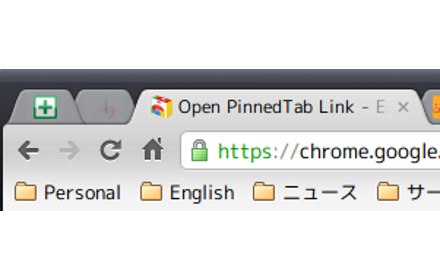
This extension adds a permanent pinned tab feature.

When clicking a link in a pinned tab, the link will be opened in new tab like as the bookmark manager page.

If you are looking for pined tabs like firefox, please try it and tell me your comment.

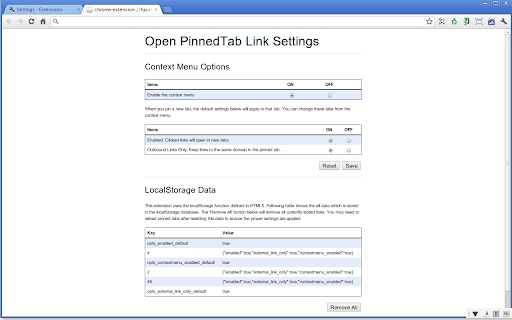
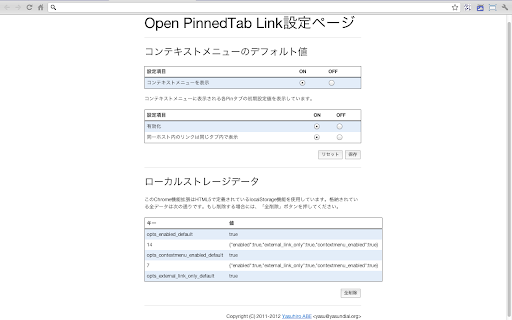
And also, please try some of options from the context menu.

Source code repository is available at
https://gitorious.org/open-pinnedtab-link

* History
version 2.2.11: Fixed the invisible checkbox bug on a context menu.
version 2.2.10: Updated codes for the chrome extension api version 2.
version 2.2.8: Changed the design of the options page.
version 2.2.7: Changed to process only http and https protocols.
version 2.2.6: Merged improved translations by Josh Rivers. (Thank you!)
version 2.2.5: Added the enable/disable cotnext menu option.
version 2.1.6: Improved the options page.

* Some answers
Q. When you type something in the omnibox or open a bookmark, it should also be opened in a new tab!

A. I got many requests about both omnibox and bookmark, now Im investigating the possibilities and side-effects for them. (2012/July/01)

Thank you for your comments and using to all of users.
How to install Open PinnedTab Link chrome extension in chrome Browser
You can Follow the below Step By Step procedure to install the Open PinnedTab Link Chrome Extension to your Chrome Web browser.
- Step 1: Go to the Chrome webstore https://chrome.google.com/webstore or download the extension Open PinnedTab Link Chrome Extension Download from https://pluginsaddonsextensions.com
- Step 2: Now search for the Open PinnedTab Link in Chrome Webstore Search and click on the search button.
- Step 3: click on the Open PinnedTab Link Chrome Extension Link
- Step 4: in the next page click on the Add to Chrome button to Download and Install the Open PinnedTab Link extension for your Chrome Web browser .
Open PinnedTab Link Chrome extension Download
Looking for a method to Open PinnedTab Link Download for Chrome then this download link is for you.It is the Open PinnedTab Link Chrome extension download link you can download and install Chrome Browser.
Download Open PinnedTab Link chrome extension (CRX)
-
A browser action to pin a tab
-
Opens external links in a new tab
-
Let you quickly search through your bookmarks in a floating bookmarks bar. It can even show notifications with no.tify.
-
Tab Position Options
-
Open new tabs when you click links.
-
This extension loads some predefined tabs on startup
-
Brings newly created tabs of bookmarked links to the foreground.
-
adds a pin tab button so you don't have to right click to pin or unpin.
-
Allows you to open a set of pinned tabs when chrome starts up
-
Manage your tabs