Chrome //
Extensions
Chrome //
Extensions  Chrome
Web store
Chrome
Web store ProxyControl Chrome Extension

-
Chrome Extension Page
-
Total Number of Extension users:30K +
-
Reviewed by :29 Chrome Users
-
Author Name:
-
['mail@proxys.io', 'PROXYS.IO']
ProxyControl chrome extension is Manage setting of connect of proxy in your browser so quickly and so easily as you want..

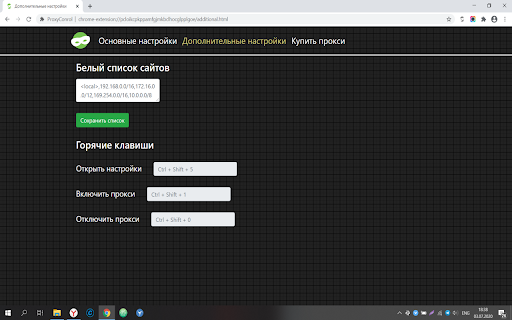

 ProxyControl is a free extension that was designed to cover all the pains users might encounter.

Features:
- One-click proxy configuration;
- Switching between addresses in one click;
- Working only with HTTP(S) protocol, for SOCKS5 you need use proxificators (!);
- Setting up hotkeys to quickly switch between proxies.

Install ProxyControl in Google Chrome, Yandex Browser or Opera and youll spend only 10 seconds to configure proxies.
How to install ProxyControl chrome extension in chrome Browser
You can Follow the below Step By Step procedure to install the ProxyControl Chrome Extension to your Chrome Web browser.
- Step 1: Go to the Chrome webstore https://chrome.google.com/webstore or download the extension ProxyControl Chrome Extension Download from https://pluginsaddonsextensions.com
- Step 2: Now search for the ProxyControl in Chrome Webstore Search and click on the search button.
- Step 3: click on the ProxyControl Chrome Extension Link
- Step 4: in the next page click on the Add to Chrome button to Download and Install the ProxyControl extension for your Chrome Web browser .
ProxyControl Chrome extension Download
Looking for a method to ProxyControl Download for Chrome then this download link is for you.It is the ProxyControl Chrome extension download link you can download and install Chrome Browser.
Download ProxyControl chrome extension (CRX)
-
Manage and switch between multiple proxies quickly & easily.