Chrome //
Extensions
Chrome //
Extensions  Chrome
Web store
Chrome
Web store Red Labels for Pivotal Tracker Chrome Extension

-
Chrome Extension Page
-
Total Number of Extension users:773 +
-
Reviewed by :14 Chrome Users
-
Author Name:
-
['True', 'Mike Kenyon']
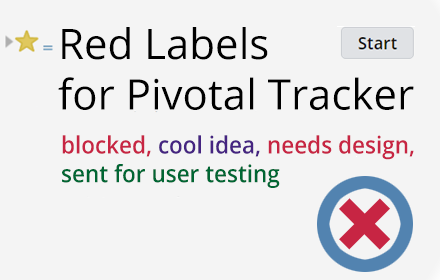
Red Labels for Pivotal Tracker chrome extension is Want to see which Pivotal Tracker stories you can work on? Turn any 'blocked' or 'needs ' stories red so they stand out!.

Add some color to the Pivotal Tracker labels that slow down development. Any stories with a label of 'blocked' or 'needs' will be an angry red. It makes it easy for developers, product managers and designers to see what can and cannot be worked on. My teams often use 'needs assets' or 'needs design' to signal our product designer or 'needs detail' to alert our product manager that their attention is required. Works anywhere without customization needed! You can onboard someone to your team easily. You can install this on a new computer. You can set up any number of Pivotal Tracker projects. Red Labels for Pivotal Trackers just works.
How to install Red Labels for Pivotal Tracker chrome extension in chrome Browser
You can Follow the below Step By Step procedure to install the Red Labels for Pivotal Tracker Chrome Extension to your Chrome Web browser.
- Step 1: Go to the Chrome webstore https://chrome.google.com/webstore or download the extension Red Labels for Pivotal Tracker Chrome Extension Download from https://pluginsaddonsextensions.com
- Step 2: Now search for the Red Labels for Pivotal Tracker in Chrome Webstore Search and click on the search button.
- Step 3: click on the Red Labels for Pivotal Tracker Chrome Extension Link
- Step 4: in the next page click on the Add to Chrome button to Download and Install the Red Labels for Pivotal Tracker extension for your Chrome Web browser .
Red Labels for Pivotal Tracker Chrome extension Download
Looking for a method to Red Labels for Pivotal Tracker Download for Chrome then this download link is for you.It is the Red Labels for Pivotal Tracker Chrome extension download link you can download and install Chrome Browser.
Download Red Labels for Pivotal Tracker chrome extension (CRX)
-
Chrome extension that visually merges the same event on multiple Google Calendars into one event.
-
Templating for user stories & bugs in Pivotal Tracker
-
Adds Scrum story points to your Trello
-
Adds the ability to split stories into epics and duplicate stories to Pivotal Tracker.
-
Tool for debugging Ember applications.
-
OctoLinker – Links together, what belongs together.