Chrome //
Extensions
Chrome //
Extensions  Chrome
Web store
Chrome
Web store Remove Most Visited Pages Chrome Extension

-
Chrome Extension Page
-
Total Number of Extension users:7K +
-
Reviewed by :60 Chrome Users
-
Author Name:
-
['christianesperar@gmail.com', 'True', 'Christian Esperar']
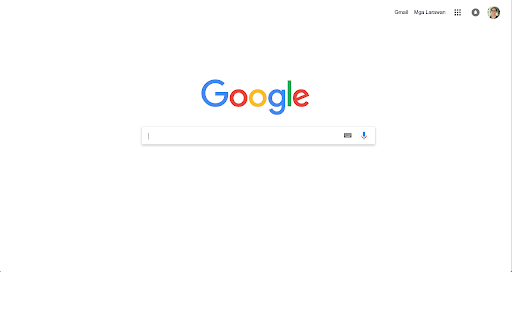
 This plugin also modify your Google homepage by removing some elements to make it exactly look like new tab page.

Pros
  • Removes Most Visited Pages.
Cons
  • Typing search query in the URL bar is not yet possible, alternatively, you can use shortcut key
    • Windows or Linux: Ctrl + L or Alt + D or F6
    • Mac: ⌘ + L
  • No theme support
  • Not recommended for users with slow internet connections

Additional Features
  • Go directly to the website if search query is in url format (v2.1.0 and above)

Upcoming features
  • Results suggestion base on browser history

Source code: https://bit.ly/gh-cve-rmvps
Releases: https://bit.ly/gh-cve-rmvpr
Suggestions: https://bit.ly/gh-cve-rmvpi
How to install Remove Most Visited Pages chrome extension in chrome Browser
You can Follow the below Step By Step procedure to install the Remove Most Visited Pages Chrome Extension to your Chrome Web browser.
- Step 1: Go to the Chrome webstore https://chrome.google.com/webstore or download the extension Remove Most Visited Pages Chrome Extension Download from https://pluginsaddonsextensions.com
- Step 2: Now search for the Remove Most Visited Pages in Chrome Webstore Search and click on the search button.
- Step 3: click on the Remove Most Visited Pages Chrome Extension Link
- Step 4: in the next page click on the Add to Chrome button to Download and Install the Remove Most Visited Pages extension for your Chrome Web browser .
Remove Most Visited Pages Chrome extension Download
Looking for a method to Remove Most Visited Pages Download for Chrome then this download link is for you.It is the Remove Most Visited Pages Chrome extension download link you can download and install Chrome Browser.
Download Remove Most Visited Pages chrome extension (CRX)
-
Create a blank new tab without any existing content.
-
Create empty new tab.
-
A simple history in a one click pop-up: view your recent browser history, recently closed tabs, most visited pages, recent bookmarks
-
Remove everything from the new tab page and display any image, gif or video in it as a wallpaper.
-
Empty New Tab Page shows a blank, Black page, rather than the chrome default
-
Allows a user to provide the URL of the page that loads in a new tab.
-
Override the default new tab page with blank page.
-
Redesigned new tab page featuring your bookmarks, apps, most visited, and recently closed in a custom layout.
-
The ultimate speed boost for Chrome, an empty new tab page!
-