Chrome //
Extensions
Chrome //
Extensions  Chrome
Web store
Chrome
Web store Savedev Code Converter Chrome Extension


-
Chrome Extension Page
-
Total Number of Extension users:404 +
-
Reviewed by :6 Chrome Users
-
Author Name:
-
['savedev@gmail.com', 'savedev']
 Savedev Code Converter is a simple Chrome Extension that implements several functions of convertion.
Its easy to install in Chrome Browser and to use.

Convertions currently implemented are:

- Text String to Binary
- Binary to Text String
- Binary to Number
- Number to Binary
- Hexadecimal to Number(decimal)
- Number(decimal) to Hexadecimal
- URL Encode
- URL Decode
- HTML Encode special chars
- HTML Decode special chars
- XML to JSON
- JSON to XML
- Base64 Encode
- Base64 Decode
- Invert Text
- Text to Morse
- Text to Lowercase
- Text to Uppercase
- Strip Tags
- Invert Text Words
- Text to ASCII
- ASCII to Text
- Color Hexadecimal to RGB
- Color RGB to Hexadecimal

Website: http://savedev.altervista.org
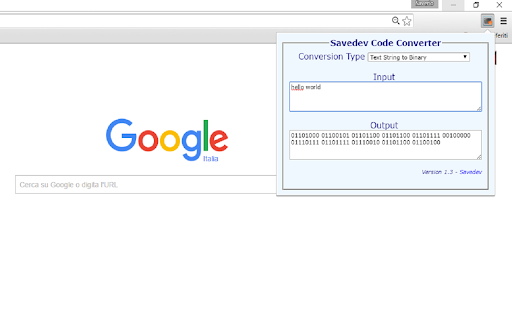
How to install Savedev Code Converter chrome extension in chrome Browser
You can Follow the below Step By Step procedure to install the Savedev Code Converter Chrome Extension to your Chrome Web browser.
- Step 1: Go to the Chrome webstore https://chrome.google.com/webstore or download the extension Savedev Code Converter Chrome Extension Download from https://pluginsaddonsextensions.com
- Step 2: Now search for the Savedev Code Converter in Chrome Webstore Search and click on the search button.
- Step 3: click on the Savedev Code Converter Chrome Extension Link
- Step 4: in the next page click on the Add to Chrome button to Download and Install the Savedev Code Converter extension for your Chrome Web browser .
Savedev Code Converter Chrome extension Download
Looking for a method to Savedev Code Converter Download for Chrome then this download link is for you.It is the Savedev Code Converter Chrome extension download link you can download and install Chrome Browser.
Download Savedev Code Converter chrome extension (CRX)
-
Converts text to morse
-
This extension helps in converting between decimal,binary and hexadecimal big numbers
-
This extension provides a morse code translation pop-out
-
Monitoring of Hidden inputs
-
Look for patterns inside HTML, JS, CSS and AJAX code
-
Encoding/Decoding Plugin for various types of encoding like base64, rot13 or unix timestamp conversion
-
Gato URL Encoder / Decoder encodes to and decodes from url encoded format.
-
Converts HexString data into text and back.
-
A developer tool include html escape/unescape, url, base64, NCR encoder/decoder
-
HTML encoder/decoder. URL encoder/decoder.