Chrome //
Extensions
Chrome //
Extensions  Chrome
Web store
Chrome
Web store search2 Chrome Extension


-
Chrome Extension Page
-
Total Number of Extension users:1K +
-
Reviewed by :84 Chrome Users
-
Author Name:
-
['True', 'renny']
 Good news: search2 has published the source code on Github, any questions or suggestions are welcome to issue page, generally i will reply in one week:
https://github.com/wurenny/search2/issues
or mail to: wurenny@gmail.com
Here is about the development logs:
http://wurenny.com/blog/search2

The Presentation:
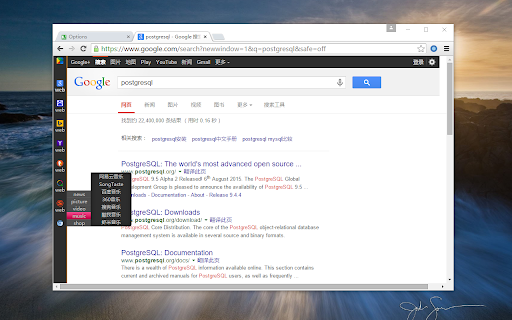
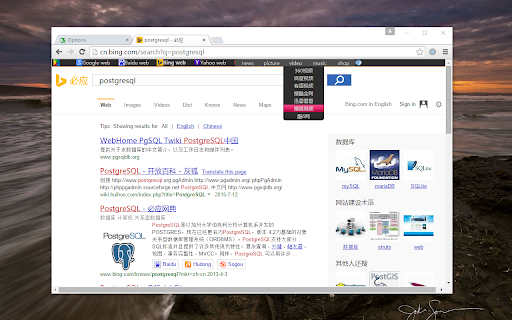
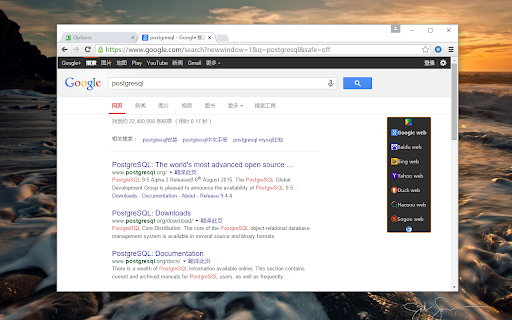
Although there are some extensions or userscripts about search engine switch, but you should be worth trying search2 for these reasons , they are the reasons also which why i want to design search2:

1. search2 exclusive support global character encoding, search2 is designed to a internationalized extension at begining.

2. search2 have a user-friendly interface for deeply customized configure, its completely open for all search engines and search categories definition, all users in the search2 are free and equal, and you can define your own search habits according with your wishes

3. search2 can not only search words but also integrates image search in contextmenu, and supports moving search, search2 tries to give you a one-stop search experience

4. search2 does not use any third-party javascript libraries, extremely lightweight, the size of the entire extension only 120K+, however, it work with fast response incredibly

5. search2 respect all search engine companies, do not tamper with the search results page, search2 decided to keep the web experience authentic, users do not need to worry about extension failure because of some changes in search engine upgrading

6. search2 care for many people who used searchEngineJump, searching flexible when use the various pulldown menus

if you feel search2 good, you can give me five stars,thank you !


How to install search2 chrome extension in chrome Browser
You can Follow the below Step By Step procedure to install the search2 Chrome Extension to your Chrome Web browser.
- Step 1: Go to the Chrome webstore https://chrome.google.com/webstore or download the extension search2 Chrome Extension Download from https://pluginsaddonsextensions.com
- Step 2: Now search for the search2 in Chrome Webstore Search and click on the search button.
- Step 3: click on the search2 Chrome Extension Link
- Step 4: in the next page click on the Add to Chrome button to Download and Install the search2 extension for your Chrome Web browser .
search2 Chrome extension Download
Looking for a method to search2 Download for Chrome then this download link is for you.It is the search2 Chrome extension download link you can download and install Chrome Browser.
Download search2 chrome extension (CRX)
-
我的右键,在Chrome的右键菜单整合了多种搜索引擎、翻译、字典、常用网络工具等常用功能 by BaozY.com
-
a command launcher with extension management/app launcher/tab management/history search/alfred
-
替换字体的中文部分为雅黑
-
Manage extensions, Quickly enable/disable, Support batching operation, Smart sorting. Fast, Simple and Secure.
-
Immersion-reading mode of Chrome extensions, similar to Safari read mode.
-
Change your address bar search engine in one click. Supports adding custom searches
-
浏览商品页面时,自动查询180天历史价格、比较同款商品的全网最低价、提示促销和隐藏优惠券、一旦降价还能通过微信提醒你,海淘、二手房游戏平台也能比价!
-
Minimalistic's chrome new tab page extension, hope every time open, you have a good mood.
-
Reverse image search
-
The easiest way to access different search engines.