Chrome //
Extensions
Chrome //
Extensions  Chrome
Web store
Chrome
Web store Securden Chrome Extension

-
Chrome Extension Page
-
Total Number of Extension users:10K +
-
Reviewed by :6 Chrome Users
-
Author Name:
-
['app-support@securden.com', '2035 Sunset Lake Rd Suite B-2 Newark, DE 19702 US', 'True', 'True', 'Securden', 'Bala V', 'Securden, Inc.']
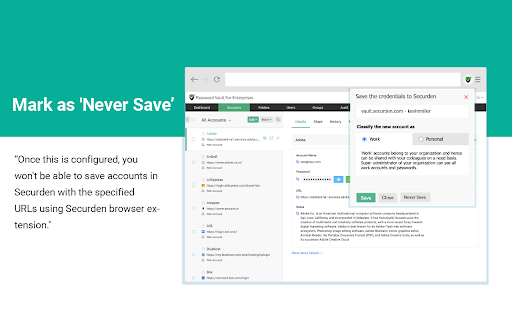
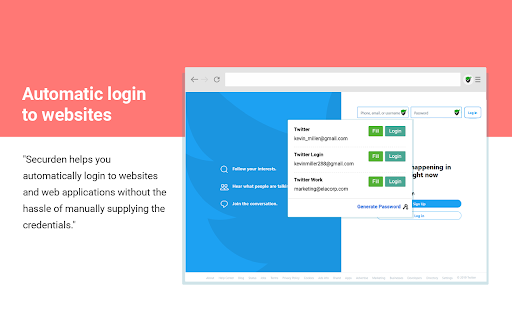
Designed for security and crafted for IT teams, Securdens on-premise, self-hosted Password Manager lets you centrally store, organize, share, and keep track of all passwords.

How to install Securden chrome extension in chrome Browser
You can Follow the below Step By Step procedure to install the Securden Chrome Extension to your Chrome Web browser.
- Step 1: Go to the Chrome webstore https://chrome.google.com/webstore or download the extension Securden Chrome Extension Download from https://pluginsaddonsextensions.com
- Step 2: Now search for the Securden in Chrome Webstore Search and click on the search button.
- Step 3: click on the Securden Chrome Extension Link
- Step 4: in the next page click on the Add to Chrome button to Download and Install the Securden extension for your Chrome Web browser .
Securden Chrome extension Download
Looking for a method to Securden Download for Chrome then this download link is for you.It is the Securden Chrome extension download link you can download and install Chrome Browser.
Download Securden chrome extension (CRX)
-
Helper extension for KeePass to find and insert credentials, generate passwords, or save new logins without manual copy and paste
-
Form filler that obtains entries from Remote Desktop Manager, Devolutions Server and Devolutions Hub Business / Personal
-
My Apps Secure Sign-in Extension
-
Mailtastic, for more through your email signatures
-
Secure vault for storing and managing shared sensitive information such as passwords, documents & digital identities of enterprises.
-
Passwordstate for Edge is a form filler extension that obtains credentials from Passwordstate.
-
Collects and displays SAML messages
-
A debugger for viewing SAML messages
-
Access Platform and Secret Server managed credentials directly from your browser.
-
Readonly KeePass password database integration for Chrome™