
 Chrome //
Extensions
Chrome //
Extensions  Chrome
Web store
Chrome
Web store Slack Message Deleter Chrome Extension

-
Chrome Extension Page
-
Total Number of Extension users:1K +
-
Reviewed by :5 Chrome Users
-
Author Name:
-
['cezar.pimentel@gmail.com', 'Brazil SP 05055-000 Brasil', 'True', 'cezar.pimentel', 'Cezar Pimentel']
Slack Message Deleter chrome extension is Slack Message Deleter.
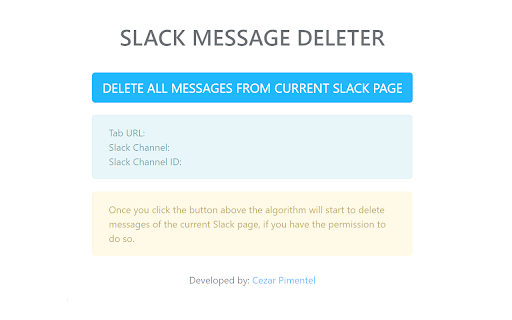
This app will automate the deletion of Slack message, if you have the proper permission on the team to do so. If you dont have admin privileges it will delete only the messages youve sent.
How to install Slack Message Deleter chrome extension in chrome Browser
You can Follow the below Step By Step procedure to install the Slack Message Deleter Chrome Extension to your Chrome Web browser.
- Step 1: Go to the Chrome webstore https://chrome.google.com/webstore or download the extension Slack Message Deleter Chrome Extension Download from https://pluginsaddonsextensions.com
- Step 2: Now search for the Slack Message Deleter in Chrome Webstore Search and click on the search button.
- Step 3: click on the Slack Message Deleter Chrome Extension Link
- Step 4: in the next page click on the Add to Chrome button to Download and Install the Slack Message Deleter extension for your Chrome Web browser .
Slack Message Deleter Chrome extension Download
Looking for a method to Slack Message Deleter Download for Chrome then this download link is for you.It is the Slack Message Deleter Chrome extension download link you can download and install Chrome Browser.
Download Slack Message Deleter chrome extension (CRX)
-
Extra features for Slack, including dark theme and code copy!
-
Love Slack? Hate slack-redir? Use slack-direct!
-
elegantly delete slack messages
-
Select text and send it to Slack channel.
-
Delete Slack messages in bulk - channels, private channels and direct messages supported
-
elegantly export slack messages


