Chrome //
Extensions
Chrome //
Extensions  Chrome
Web store
Chrome
Web store Snake Chrome Extension

-
Chrome Extension Page
-
Total Number of Extension users:10K +
-
Reviewed by :6 Chrome Users
-
Author Name:
-
['gamergpt.contact@gmail.com', 'Gamer GPT']
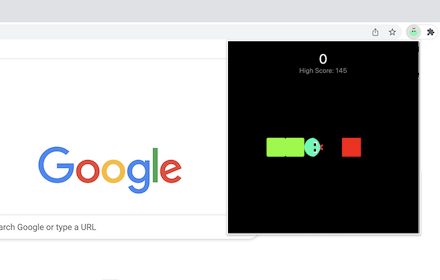
 This chrome extension allows you to play the snake game anytime and anywhere.

The rule of the snake game is simple:
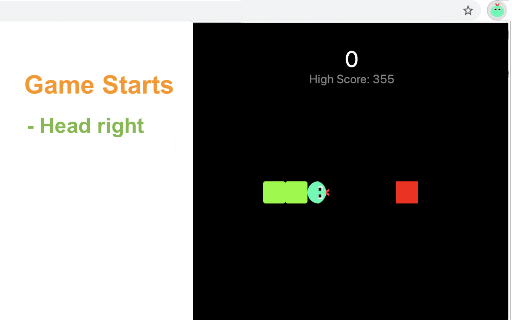
- Try to touch the target (a red box) with snake head by changing the snake direction.
- Once touched, the target will disappear and then randomly occur in a new location.
- For each touch, both the snake body and the game score will increase.
- As the score increases to higher levels, the snake will be accelerated.

How to play?
1) Click the extension icon in the top right corner of the browser to open the game window.
2) Press Arrow keys (Arrow left/right/up/bottom) to start the game or change snake direction.
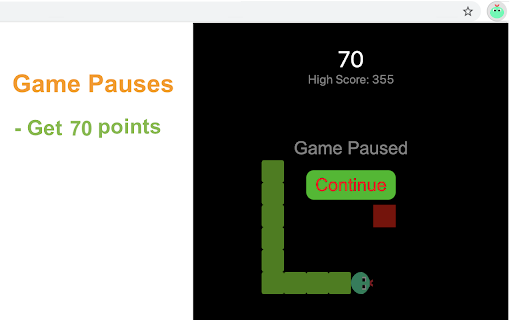
3) Press the Space key to pause or continue the game.
4) Click anywhere on your screen except game window to exit the game.
5) Press the Restart button (or Space/Enter key) to start a new game when the game is over.

Have fun with the snake game! Additionally, weve added some of our latest games at the bottom for your extra enjoyment.

CHANGELOG
==========
Version 0.1.8 - 0.2.0
- Add the section on new games
- Update the game list with time

Version 0.1.5 - 0.1.7
- Optimize snake size and speed
- Rename the game
- Add data analytics

Version 0.1.3 & 0.1.4
- Update user interface and operation

Version 0.1.2 - 2022-02-25
- Simplify the method of starting game

Version 0.1.1 - 2022-01-24
- Increase snake size for easy operation

Version 0.1.0 - 2021-12-12
- Initial release of snake game


How to install Snake chrome extension in chrome Browser
You can Follow the below Step By Step procedure to install the Snake Chrome Extension to your Chrome Web browser.
- Step 1: Go to the Chrome webstore https://chrome.google.com/webstore or download the extension Snake Chrome Extension Download from https://pluginsaddonsextensions.com
- Step 2: Now search for the Snake in Chrome Webstore Search and click on the search button.
- Step 3: click on the Snake Chrome Extension Link
- Step 4: in the next page click on the Add to Chrome button to Download and Install the Snake extension for your Chrome Web browser .
Snake Chrome extension Download
Looking for a method to Snake Download for Chrome then this download link is for you.It is the Snake Chrome extension download link you can download and install Chrome Browser.
Download Snake chrome extension (CRX)
-
A fun game that plays in a popup
-
Do you like playing basketball? All you have to do is toss the ball into the basket and score as high as you can.
-
A classic pong game that plays in a popup.
-
In Helix Fruit Jump game, you have to take the ball to the finish line and complete the level.
-
Play 3D game easily by clicking the little icon at the top right corner of your browser.
-
Play classic Snake game offline version on your Google Chrome!
-
Boxel 3D is the 3rd release of your favorite box jumping game made by the developers of Boxel Rebound.
-
The authentic snake game in a popup. Smooth animations and a saved high score!