Chrome //
Extensions
Chrome //
Extensions  Chrome
Web store
Chrome
Web store SVG Export Chrome Extension


-
Chrome Extension Page
-
Total Number of Extension users:200K +
-
Reviewed by :185 Chrome Users
-
Author Name:
-
['delanebobdesigns@gmail.com', 'True', 'delanebob']
 SVG Export is a great tool that searches for SVGs on websites and enables you to rapidly export them as PNGs, JPEGs or SVGs with ease.

Features
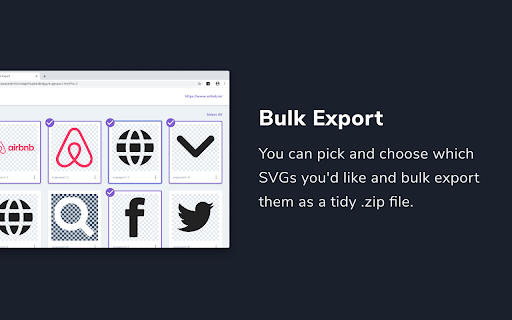
- Bulk export
- Export as PNG, JPEG or SVG
- Resize images
- Copy SVGs for Sketch, Figma or Framer
- Inlines important styles and colours that are applied with css
- Embeds linked nodes from other parts of the site

This is great for designers and developers wanting to pull SVGs from sites without having to dive into the source code.



How to install SVG Export chrome extension in chrome Browser
You can Follow the below Step By Step procedure to install the SVG Export Chrome Extension to your Chrome Web browser.
- Step 1: Go to the Chrome webstore https://chrome.google.com/webstore or download the extension SVG Export Chrome Extension Download from https://pluginsaddonsextensions.com
- Step 2: Now search for the SVG Export in Chrome Webstore Search and click on the search button.
- Step 3: click on the SVG Export Chrome Extension Link
- Step 4: in the next page click on the Add to Chrome button to Download and Install the SVG Export extension for your Chrome Web browser .
SVG Export Chrome extension Download
Looking for a method to SVG Export Download for Chrome then this download link is for you.It is the SVG Export Chrome extension download link you can download and install Chrome Browser.
Download SVG Export chrome extension (CRX)
-
All-in-one browser extension to improve your web dev experience.
-
Save SVG images as PNG. Navigate to an .svg file, right click on it and click on the context menu item 'Save SVG as PNG.
-
Adds a SVG export button to the browser, which spits out SVG DOM elements present on page as files including CSS.
-
Import a web page to Figma layers
-
Speed up your design workflow!
-
Generate a brand style guide for any website instantly
-
Easily find and download SVG Icons from a certain cloud management portal.
-
Extract CSS and build beautiful styleguides.
-
Find, optimize, organize, edit, and export your SVGs
-
A tool to quickly preview and get all the svg assets from a website.