
 Chrome //
Extensions
Chrome //
Extensions  Chrome
Web store
Chrome
Web store Switcher Chrome Extension


-
Chrome Extension Page
-
Total Number of Extension users:208 +
-
Reviewed by :13 Chrome Users
-
Author Name:
-
[]
Switcher chrome extension is An extension to help you switch between different sets of bookmarks.
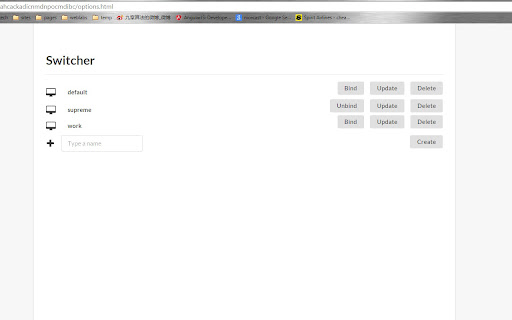
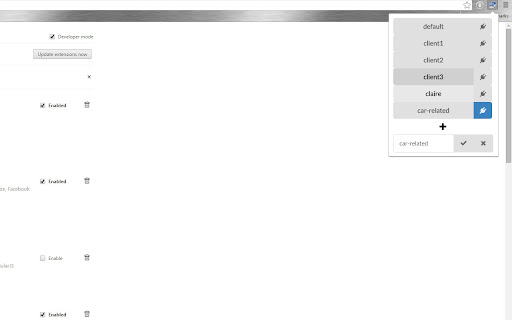
 Are you frustrated with having to switch to another Google account to get the set of bookmarks you want after you get off work,and then you realize you have to log in back to check your Gmail emails?

Switcher is here to save the day.Just stick to one Google account and create as many bookmark profiles as you like and switch between them in one click.Also you can bind a machine to a profile so every time you open up chrome you get the set of bookmarks you want.

For example,I bind my Mac book to a profile I name 'home' and my Windows laptop to a profile I name 'work' and then I do not have to worry about them but still enjoy the same Gmail access and other Google synced services.
How to install Switcher chrome extension in chrome Browser
You can Follow the below Step By Step procedure to install the Switcher Chrome Extension to your Chrome Web browser.
- Step 1: Go to the Chrome webstore https://chrome.google.com/webstore or download the extension Switcher Chrome Extension Download from https://pluginsaddonsextensions.com
- Step 2: Now search for the Switcher in Chrome Webstore Search and click on the search button.
- Step 3: click on the Switcher Chrome Extension Link
- Step 4: in the next page click on the Add to Chrome button to Download and Install the Switcher extension for your Chrome Web browser .
Switcher Chrome extension Download
Looking for a method to Switcher Download for Chrome then this download link is for you.It is the Switcher Chrome extension download link you can download and install Chrome Browser.
Download Switcher chrome extension (CRX)
-
Provides a switch to toggle statuses of installed extensions.
-
Menu for quick extensions control
-
Makes switching between tabs more convenient.


