Chrome //
Extensions
Chrome //
Extensions  Chrome
Web store
Chrome
Web store TolleyThis! Chrome Extension

-
Chrome Extension Page
-
Total Number of Extension users:4K +
-
Reviewed by :0 Chrome Users
-
Author Name:
-
['team23@lexisnexis.co.uk', '1-3 Strand London WC2N 5JR GB', 'True', 'True', 'Tolley', 'RELX PLC']
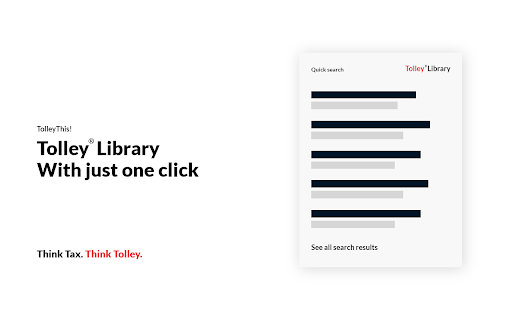
 TolleyThis! brings the best of Tolley®Library to wherever you are on the web. With powerful search at your fingertips and integration into Google, its never been this easy to find the answers you need.

—————————
KEY FEATURES
—————————

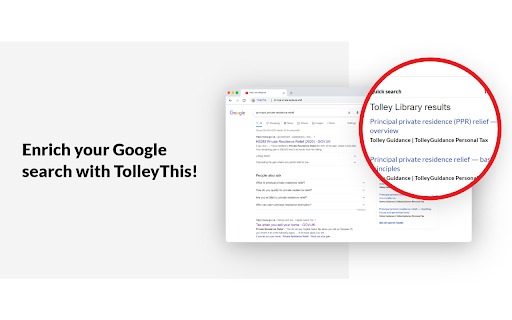
★ Tolley search results in Google
Whenever you run a Google search, youll now get direct access to Tolley search results automatically.

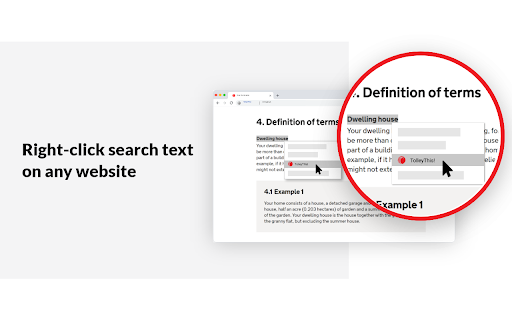
★ Right-click search without disrupting your workflow
Run a search from any web page by highlighting your keywords, right-click and then TolleyThis! Instantly see the results appear without moving away from the page youre on.

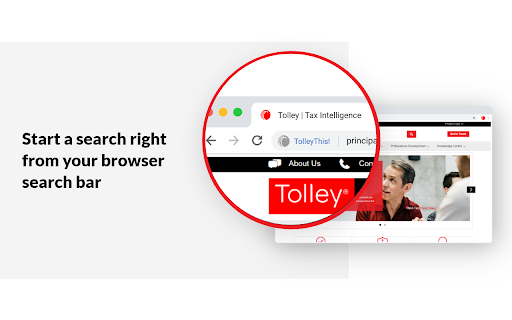
★ Start a search right from your browser search bar
Start a search by typing in 'Tolley' followed by your keywords then hit enter to run your search. This will take you straight into Tolley®Library where you can review, filter and view the full breadth of content.

★ Integrated in Microsoft 365
Get Tolley search results in Microsoft 365 for direct access to Tolley content in the place where you work and collaborate. Use the source filtering to refine your search results and review search summaries without disrupting your workflow.


—————————
FAQ
—————————

When I click TolleyThis! it asks me to login
TolleyThis! requires an active login to work. Once you’ve logged in, you can use TolleyThis! until the next time you reset your browser or your account requires you to login again

Do I need a subscription to Tolley®Library?
To use TolleyThis! you need an active Tolley subscription. If you’d like to find out more, sign up for a trial or subscribe, please visit https://www.tolley.co.uk/products/tolley-library.

View our privacy policy at: https://www.lexisnexis.com/global/privacy/en/privacy-policy-uk.page

How to install TolleyThis! chrome extension in chrome Browser
You can Follow the below Step By Step procedure to install the TolleyThis! Chrome Extension to your Chrome Web browser.
- Step 1: Go to the Chrome webstore https://chrome.google.com/webstore or download the extension TolleyThis! Chrome Extension Download from https://pluginsaddonsextensions.com
- Step 2: Now search for the TolleyThis! in Chrome Webstore Search and click on the search button.
- Step 3: click on the TolleyThis! Chrome Extension Link
- Step 4: in the next page click on the Add to Chrome button to Download and Install the TolleyThis! extension for your Chrome Web browser .
TolleyThis! Chrome extension Download
Looking for a method to TolleyThis! Download for Chrome then this download link is for you.It is the TolleyThis! Chrome extension download link you can download and install Chrome Browser.
Download TolleyThis! chrome extension (CRX)
-
Never miss a deal when you shop online. SmartSpending™ will automatically remind you if there’s a discount you can use.
-
The 3CX browser extension provides click2call from any website or CRM system for 3CX PBX users.
-
Read web articles on your reMarkable with a click.
-
Lets you share your screen when taking an online exam on ProctorExam - https://www.proctorexam.com
-
Use CallSwitch to call numbers in Chrome.
-
Join over 20m members to earn cashback and get the best vouchers when you shop online with the TopCashback browser extension
-
View price changes on properties listed on Rightmove.
-
Search Croner-i tax, audit and accounting content whilst in Google.
-
Automatically highlight phone numbers
-
Never miss a donation for your charity or good cause again with the easyfundraising donation reminder