Chrome //
Extensions
Chrome //
Extensions  Chrome
Web store
Chrome
Web store User CSS Chrome Extension


-
Chrome Extension Page
-
Total Number of Extension users:60K +
-
Reviewed by :252 Chrome Users
-
Author Name:
-
['True', 'Dimox']
 Insert your custom CSS code to the current web site and you will see the changes immediately.

How to use:

1. Press the extension button to display the CSS editor.
2. Write your custom CSS.
3. Enjoy the result.
4. Press the extension button to hide the CSS editor.

Button shows a green indicator, when current web site has custom CSS.

The extension uses CodeMirror to highlight code and supports the Emmet toolkit.
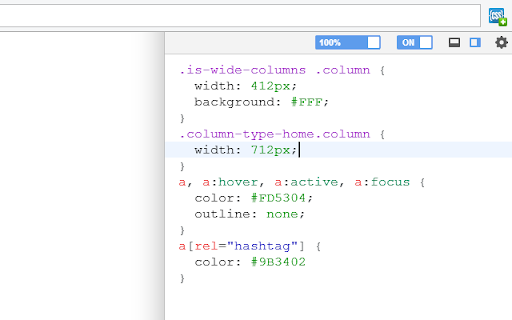
How to install User CSS chrome extension in chrome Browser
You can Follow the below Step By Step procedure to install the User CSS Chrome Extension to your Chrome Web browser.
- Step 1: Go to the Chrome webstore https://chrome.google.com/webstore or download the extension User CSS Chrome Extension Download from https://pluginsaddonsextensions.com
- Step 2: Now search for the User CSS in Chrome Webstore Search and click on the search button.
- Step 3: click on the User CSS Chrome Extension Link
- Step 4: in the next page click on the Add to Chrome button to Download and Install the User CSS extension for your Chrome Web browser .
User CSS Chrome extension Download
Looking for a method to User CSS Download for Chrome then this download link is for you.It is the User CSS Chrome extension download link you can download and install Chrome Browser.
Download User CSS chrome extension (CRX)
-
This extension colours the text chat in Roll20.
-
Add custom CSS styles, JavaScript & jQuery to any websites
-
Get all css rules used by the selected DOM and its descendants.
-
Minimal and secure way to add custom CSS per-domain
-
Run custom JavaScript on any website.
-
Add Custom JavaScript (JS) Code or Styles (CSS) to any page.
-
Live CSS JS/ Realtime CSS JS style will be added to the page for temprory. To test the style change. How it reflect on page reload.
-
Live preview of CSS/Less/Sass code changes. Auto-save file, autocomplete, Less/Sass to CSS, beautify, CSS reloader, lint, ...
-
User JavaScript and CSS on any website
-
Live Write CSS onto any page