
 Chrome //
Extensions
Chrome //
Extensions  Chrome
Web store
Chrome
Web store Youtube Radio Chrome Extension


-
Chrome Extension Page
-
Total Number of Extension users:356 +
-
Reviewed by :9 Chrome Users
-
Author Name:
-
['Daniel Ravina']
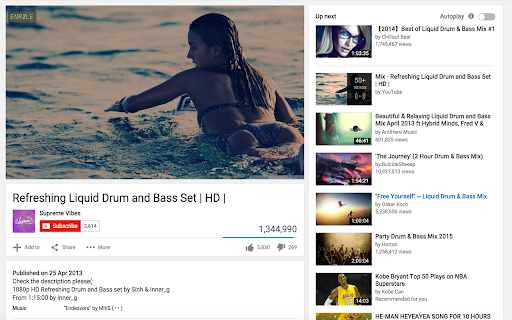
Have you ever wanted to 'listen only' to a youtube video/playlist? There are so many great tracks out there where the visuals and the comments are simply one big distraction. Instead of scrolling down the page or minimizing the window at your workplace, you can enjoy good music with no interruptions all day long!
How to install Youtube Radio chrome extension in chrome Browser
You can Follow the below Step By Step procedure to install the Youtube Radio Chrome Extension to your Chrome Web browser.
- Step 1: Go to the Chrome webstore https://chrome.google.com/webstore or download the extension Youtube Radio Chrome Extension Download from https://pluginsaddonsextensions.com
- Step 2: Now search for the Youtube Radio in Chrome Webstore Search and click on the search button.
- Step 3: click on the Youtube Radio Chrome Extension Link
- Step 4: in the next page click on the Add to Chrome button to Download and Install the Youtube Radio extension for your Chrome Web browser .
Youtube Radio Chrome extension Download
Looking for a method to Youtube Radio Download for Chrome then this download link is for you.It is the Youtube Radio Chrome extension download link you can download and install Chrome Browser.
Download Youtube Radio chrome extension (CRX)
-
Blocks the video keeping only the audio on YouTube and YouTube Music.
-
Adds button to youtube pages to search for song in google music
-
Create playlists from the top song streaming sources & play music in background
-
Replace background YouTube™ videos with more efficient audio, for less distractions.
-
Add YouTube, SoundCloud, Vimeo music from any web page to playlist. Listen, aggregate, synchronize between PCs and share.
-
Listen to audio (no video) in YouTube and all embedded videos.
-
Mini player with universal music sharing for Spotify, Apple Music, YouTube Music, and Amazon Music.
-
Listen to radio stations via YouTube videos. Use Chromecast for MTV experience. Genres: Blues, Country, HipHop, Jazz, Latin, Rock
-
Online Radio Player!
-
Keep only the music of Youtube: hides all videos, all images, yeah!


