Chrome //
Extensions
Chrome //
Extensions  Chrome
Web store
Chrome
Web store zzllrr Imager Geek Chrome Extension


-
Chrome Extension Page
-
Total Number of Extension users:30K +
-
Reviewed by :474 Chrome Users
-
Author Name:
-
['extfind@gmail.com', 'extfind']
 Privacy & Disclaimer
https://sites.google.com/site/zzllrrimager/about
------Features in Geek version------
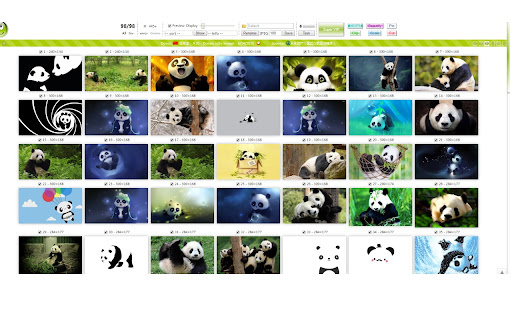
- A popup equiped with handy geek tools for image grabbing, webpage enhancement, etc.

- Mass download large images instead of thumbnails with optional rules

- Save pictures in single tab, multiple URLs, multiple tabs, multiple Chrome windows.

- Filter images by dimensions (Width x Height)

- Filter images extension: BMP ICO GIF JPEG JPG APNG MNG JNG PNG SVG WEBP

- Filter images by Alt, Title, Link, Name, URL (regular expressions supported)

- Grab pictures as favicon, in CSS stylesheets, in Meta, in HTML5 canvas, as linked to, in text

- Flip / Rotate images and save the transformed pics

- Rename pictures with optional rules or set folder path before saving

- Quick image grabbing (CTRL + Q)

- Quick saving pictures (Alt + Q)

- Export URL list, HTML code, UBB code

- Pin selected images (CTRL + ALT + Q)

- Image Slideshow (CTRL + ALT + SPACE)




How to install zzllrr Imager Geek chrome extension in chrome Browser
You can Follow the below Step By Step procedure to install the zzllrr Imager Geek Chrome Extension to your Chrome Web browser.
- Step 1: Go to the Chrome webstore https://chrome.google.com/webstore or download the extension zzllrr Imager Geek Chrome Extension Download from https://pluginsaddonsextensions.com
- Step 2: Now search for the zzllrr Imager Geek in Chrome Webstore Search and click on the search button.
- Step 3: click on the zzllrr Imager Geek Chrome Extension Link
- Step 4: in the next page click on the Add to Chrome button to Download and Install the zzllrr Imager Geek extension for your Chrome Web browser .
zzllrr Imager Geek Chrome extension Download
Looking for a method to zzllrr Imager Geek Download for Chrome then this download link is for you.It is the zzllrr Imager Geek Chrome extension download link you can download and install Chrome Browser.
Download zzllrr Imager Geek chrome extension (CRX)
-
Easily save images with a click, gestures or the extension button.
-
An usefull tool for image download & full page screen capture
-
Browse and download images on the web
-
An image extractor for sniffing, analyzing and batch downloading images from web page.
-
Adds a right-click direct download item for images, like Safari.
-
Download Renren album with one click.
-
Integrates Bulk Image Downloader (a Windows only app that must be installed separately) with Chrome
-
Hunt and save all of images of the browsing page, and view images in a lightbox.
-
Simple bulk image download extension, filter by resolution and file type, download photos from multiple tabs in one click.
-
Browse and download images on a web page.