
Screenshots
Low risk impact
Is Endpoint Verification Chrome extension safe?
The Endpoint Verification Chrome extension is considered low risk. It only requests basic permissions that do not broadly expose your personal data or browsing history. It is generally safe to install.
Our Recommendation: Safe to install.
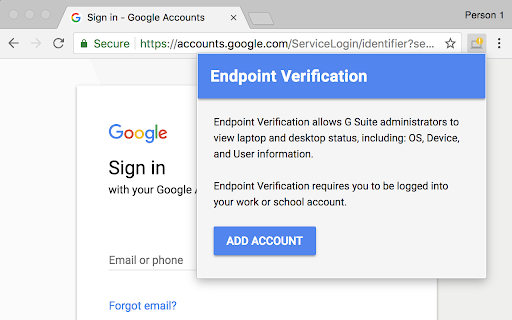
Managing secure access to company data requires IT administrators to know whether connected hardware meets organization safety standards. Endpoint Verification works alongside Google Workspace and Google Cloud to give system administrators continuous visibility into the security posture of devices accessing corporate networks.
Built specifically for managed enterprise environments, this browser tool collects basic hardware and OS-level attributes. By sharing device state information—such as screen lock status, operating system version, and disk encryption status—it allows Context-Aware Access rules to grant or restrict entry to sensitive applications based on real-time security compliance.
Device Posture Reporting and Enterprise Access Controls
When employees attempt to open secure internal tools, administrators need to ensure that unpatched or unsecured laptops are not exposing confidential data. The endpoint verification chrome extension operates quietly in the background, submitting telemetry data directly to the Google Workspace Admin Console.
This continuous background reporting enables administrators to enforce granular access policies without requiring complex third-party software agents for simple browser-level verification. If a device falls out of compliance, access to company resources can be automatically blocked until the security issue is resolved.
How It Compares to Google Workspace and Okta Device Trust
Organizations utilizing Google Workspace vs Okta device trust or other identity providers often prefer native integration when deploying Chrome-first environments. Because Endpoint Verification is developed directly by Google, it integrates into the Google Cloud ecosystem with minimal setup overhead for end users.
Deployment typically happens automatically through managed Chrome browser profiles. System administrators push the extension to managed users via the Admin Console, meaning individual staff members rarely need to configure settings manually.
Core Operational Features
- Reports critical device health metrics including OS build version and encryption status to IT admins.
- Integrates directly with Google Workspace Context-Aware Access to enforce conditional access policies.
- Operates silently within managed Chrome profiles to ensure security compliance without interrupting daily work.
- Helps organizations enforce zero-trust security policies across remote and office environments.
- Solves how to set up endpoint verification chrome deployments efficiently across large enterprise teams.
- Enables secure access to corporate Google Cloud services without installing invasive desktop software.
User Experience and Enterprise Deployment
From an employee perspective, the interaction with this Chrome add-on is virtually invisible. There are no daily pop-ups, manual scans to trigger, or configurations to adjust. The extension runs in the background, updating device state reports whenever the browser connects to corporate services.
Because the tool is designed strictly for enterprise management, it is primarily useful for organizations using Google Workspace or Google Cloud enterprise tiers. Individual users running personal Google accounts will not find standalone utility in installing it independently.
Pros and Cons
- Simple, automated background operation requires zero daily interaction from employees.
- Native integration with Google Cloud and Google Workspace security controls.
- Lightweight footprint that does not slow down browser performance.
- Requires administrative configuration within a Google Workspace domain to function.
- Limited utility for personal, non-enterprise Google accounts.
Add Endpoint Verification to Chrome
The Endpoint Verification Chrome extension is available for free directly on the Chrome Web Store. It is designed to work seamlessly across Chromium-based enterprise setups, including Google Chrome, Microsoft Edge, and Brave when managed under organizational policies. If your IT department requires device posture checks for work applications, you can add Endpoint Verification to your browser with just a single click.



