Chrome //
Extensions
Chrome //
Extensions  Chrome
Web store
Chrome
Web store Bigger Link Text Chrome Extension

-
Chrome Extension Page
-
Total Number of Extension users:134 +
-
Reviewed by :4 Chrome Users
-
Author Name:
-
['mohamed.ahmed@live.ca', 'True', 'Mohamed Ahmed']
 Many tablet users run into the problem if clicking small text links on a web page.

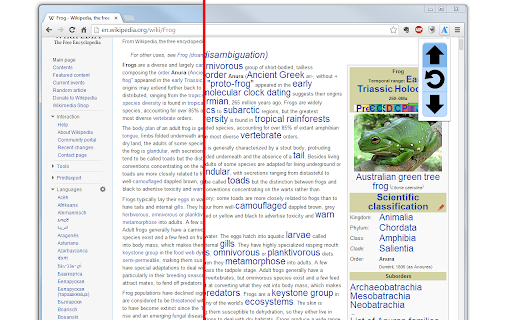
This is an extension that increases the size of text links on a web page. Rather than zooming in and making the whole page bigger, making images look pixelated and ruining the page layout, it just increases the size of text links.


Email about bugs and suggestions to mohamed.ahmed@live.ca
How to install Bigger Link Text chrome extension in chrome Browser
You can Follow the below Step By Step procedure to install the Bigger Link Text Chrome Extension to your Chrome Web browser.
- Step 1: Go to the Chrome webstore https://chrome.google.com/webstore or download the extension Bigger Link Text Chrome Extension Download from https://pluginsaddonsextensions.com
- Step 2: Now search for the Bigger Link Text in Chrome Webstore Search and click on the search button.
- Step 3: click on the Bigger Link Text Chrome Extension Link
- Step 4: in the next page click on the Add to Chrome button to Download and Install the Bigger Link Text extension for your Chrome Web browser .
Bigger Link Text Chrome extension Download
Looking for a method to Bigger Link Text Download for Chrome then this download link is for you.It is the Bigger Link Text Chrome extension download link you can download and install Chrome Browser.
Download Bigger Link Text chrome extension (CRX)
-
With one click on the button the font size on the current page will be increase.
-
With one click on the button the font size on the current page will be decrease.
-
Add actual page or any web links on actual page into temporary bookmarks. You can open these web links later.
-
Right Click Tab Navigation
-
Extension that lets the user change the font text size, font type, font color and background color on a page.
-
Make it easy to select a part of link texts
-
This extension automatically zooms in a page with a small font for Chrome users.
-
Zoom text without distorting the images
-
Font Size & Zoom
-
Zooming in on websites. Doubleclick on any element on this page to zoom in and doubleclick again, or use ESC, to zoom out.