Chrome //
Extensions
Chrome //
Extensions  Chrome
Web store
Chrome
Web store Fine Link Selector Chrome Extension


-
Chrome Extension Page
-
Total Number of Extension users:2K +
-
Reviewed by :20 Chrome Users
-
Author Name:
-
['True', 'mkhr']
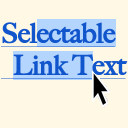
 While holding down [Ctrl] + [Alt], you can select a part of a link text in the same way as a plain text.
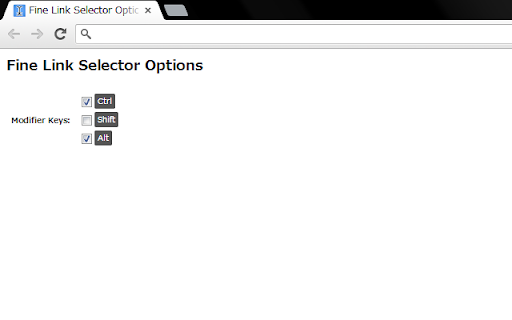
You can change the combination of modifier keys at the options page.

How to install Fine Link Selector chrome extension in chrome Browser
You can Follow the below Step By Step procedure to install the Fine Link Selector Chrome Extension to your Chrome Web browser.
- Step 1: Go to the Chrome webstore https://chrome.google.com/webstore or download the extension Fine Link Selector Chrome Extension Download from https://pluginsaddonsextensions.com
- Step 2: Now search for the Fine Link Selector in Chrome Webstore Search and click on the search button.
- Step 3: click on the Fine Link Selector Chrome Extension Link
- Step 4: in the next page click on the Add to Chrome button to Download and Install the Fine Link Selector extension for your Chrome Web browser .
Fine Link Selector Chrome extension Download
Looking for a method to Fine Link Selector Download for Chrome then this download link is for you.It is the Fine Link Selector Chrome extension download link you can download and install Chrome Browser.
Download Fine Link Selector chrome extension (CRX)
-
A simple way to control the tab order of the browser.
-
Add search engines easily and search from the context menu and convenient popup
-
-
a simple way to copy tab title and url with ease
-
A lightweight extension that makes any link selectable while [Alt], [Meta], or [Command] 'key' is pressed.
-
Right Click Tab Navigation
-
Hold Ctrl+Alt to disable the links temporarily.
-
With this extension, you can easily select link text just like regular text, making it easier to copy. Just Select like a Boss! ;)
-
Copy links and page urls with text from context menu
-
Hold Shift and select text from a link.