Chrome //
Extensions
Chrome //
Extensions  Chrome
Web store
Chrome
Web store BIGIP Cookie Decoder Chrome Extension

-
Chrome Extension Page
-
Total Number of Extension users:3K +
-
Reviewed by :7 Chrome Users
-
Author Name:
-
['joaofelipes@gmail.com', 'True', 'João Felipe']
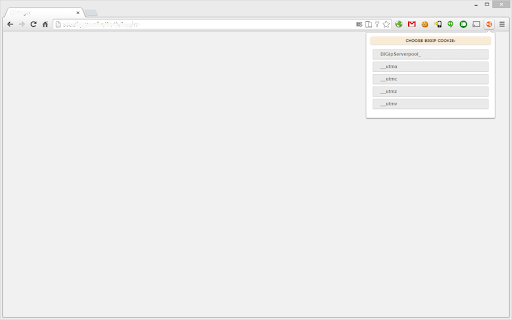
 The F5 BIG-IP load balancer uses an encoded cookie to maintain stateful connections from the client to the server. These cookies are automatically sent in every request to the domain that set them. This allows a simple way to track each client’s server association for load balancing control.

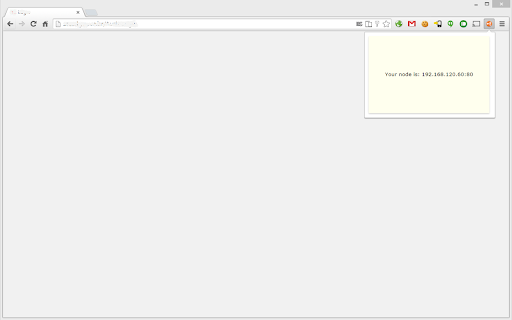
This extension reverse the F5 algorithm used to encode the data, and exposes the IP address and TCP port of the host that is actually handling your connection.

It was made to help administrators in trobleshooting situations.

Note that non encrypted cookies are considered a security issue, and this extension will not work if your load balancer was configured to use the non reversible crypto.
How to install BIGIP Cookie Decoder chrome extension in chrome Browser
You can Follow the below Step By Step procedure to install the BIGIP Cookie Decoder Chrome Extension to your Chrome Web browser.
- Step 1: Go to the Chrome webstore https://chrome.google.com/webstore or download the extension BIGIP Cookie Decoder Chrome Extension Download from https://pluginsaddonsextensions.com
- Step 2: Now search for the BIGIP Cookie Decoder in Chrome Webstore Search and click on the search button.
- Step 3: click on the BIGIP Cookie Decoder Chrome Extension Link
- Step 4: in the next page click on the Add to Chrome button to Download and Install the BIGIP Cookie Decoder extension for your Chrome Web browser .
BIGIP Cookie Decoder Chrome extension Download
Looking for a method to BIGIP Cookie Decoder Download for Chrome then this download link is for you.It is the BIGIP Cookie Decoder Chrome extension download link you can download and install Chrome Browser.
Download BIGIP Cookie Decoder chrome extension (CRX)
-
Improve your Burp Suite scan coverage by manually capturing how to perform complex actions on your website.
-
Chrome extension to decode Ruby on Rails session cookies.
-
Encoding/Decoding Plugin for various types of encoding like base64, rot13 or unix timestamp conversion
-
This is the Meetecho extension utility for screensharing support in the Janus WebRTC gateway
-
The Shodan plugin tells you where the website is hosted (country, city), who owns the IP and what other services/ ports are open.
-
Add diagnostic headers to Akamai'd websites
-
HTML encoder/decoder. URL encoder/decoder.
-
Scanning website for vulnerable js libraries
-
Collects and displays SAML messages
-
OWASP Penetration Testing Kit