Chrome //
Extensions
Chrome //
Extensions  Chrome
Web store
Chrome
Web store Calendar Clock Chrome Extension


-
Chrome Extension Page
-
Total Number of Extension users:10K +
-
Reviewed by :15 Chrome Users
-
Author Name:
-
['jack.m.hou@gmail.com', 'True', 'jack.m.hou']
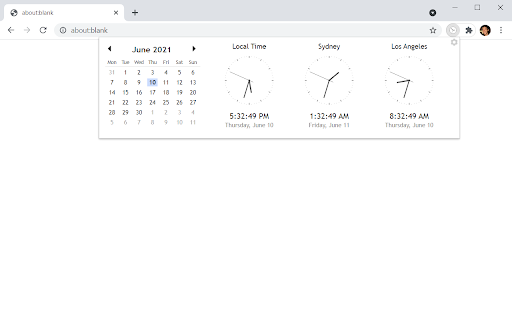
 Same as the Chrome App (https://chrome.google.com/webstore/detail/calendar-clock/galgfocamdohgeifjlbefkfpaalankfi) but turned into an extension since Chrome Apps will be shut down soon.

Source code can be found at:
https://github.com/kaydensigh/chromecalclock


How to install Calendar Clock chrome extension in chrome Browser
You can Follow the below Step By Step procedure to install the Calendar Clock Chrome Extension to your Chrome Web browser.
- Step 1: Go to the Chrome webstore https://chrome.google.com/webstore or download the extension Calendar Clock Chrome Extension Download from https://pluginsaddonsextensions.com
- Step 2: Now search for the Calendar Clock in Chrome Webstore Search and click on the search button.
- Step 3: click on the Calendar Clock Chrome Extension Link
- Step 4: in the next page click on the Add to Chrome button to Download and Install the Calendar Clock extension for your Chrome Web browser .
Calendar Clock Chrome extension Download
Looking for a method to Calendar Clock Download for Chrome then this download link is for you.It is the Calendar Clock Chrome extension download link you can download and install Chrome Browser.
Download Calendar Clock chrome extension (CRX)
-
Simple calendar extension
-
Calendar and clock showing multiple time zones
-
A fast calendar that shows next month and supports events.
-
Your Tab, Your Rules! Infinite customization of your New Tab page with many widget options.
-
An analogue clock in the toolbar!
-
New tab widgets: Pretty background, Countdown timer, Todo List, Habit tracker, Notes, Dashboard, Photos, Clock, Deadline, Dark theme
-
Adds an analog clock to the Chrome toolbar.
-
An extension fully loaded with tons of useful time-related features... But the best part is, it is totally COOL.
-
AI-powered weather forecasting
-
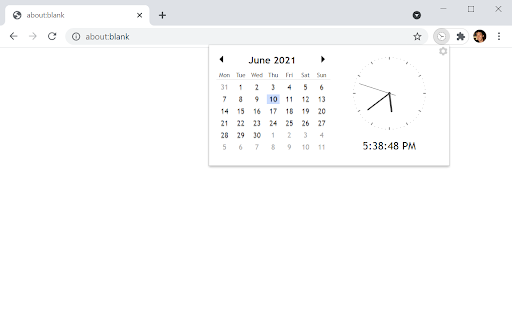
This extension quickly displays a small calendar.