Chrome //
Extensions
Chrome //
Extensions  Chrome
Web store
Chrome
Web store Check for .git directory existence Chrome Extension

-
Chrome Extension Page
-
Total Number of Extension users:264 +
-
Reviewed by :0 Chrome Users
-
Author Name:
-
['mail@jordijolink.nl', 'Jordi Jolink']
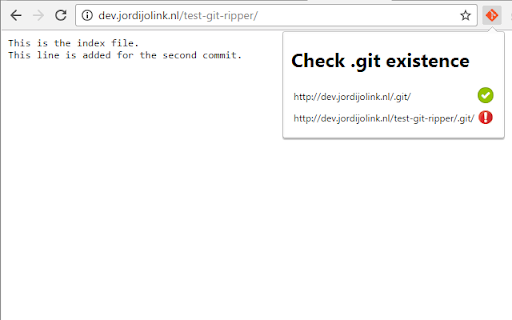
 Check a website for having the .git directory public accessible.

This is a huge security issue, as all source files can be downloaded.
For more information see: https://www.jordijolink.nl/2016/09/24/ripping-a-websites-source-files/

This plugin can detect this security leak on (your) websites.
How to install Check for .git directory existence chrome extension in chrome Browser
You can Follow the below Step By Step procedure to install the Check for .git directory existence Chrome Extension to your Chrome Web browser.
- Step 1: Go to the Chrome webstore https://chrome.google.com/webstore or download the extension Check for .git directory existence Chrome Extension Download from https://pluginsaddonsextensions.com
- Step 2: Now search for the Check for .git directory existence in Chrome Webstore Search and click on the search button.
- Step 3: click on the Check for .git directory existence Chrome Extension Link
- Step 4: in the next page click on the Add to Chrome button to Download and Install the Check for .git directory existence extension for your Chrome Web browser .
Check for .git directory existence Chrome extension Download
Looking for a method to Check for .git directory existence Download for Chrome then this download link is for you.It is the Check for .git directory existence Chrome extension download link you can download and install Chrome Browser.
Download Check for .git directory existence chrome extension (CRX)
-
Splits the top left Github|Gist logo into two URLS - the 'Github' part goes to Github, and 'Gist' goes to Gist.
-
This extension helps you find more information about the github repository shown in your browser now
-
Show user details and repository info in a tooltip.
-
Output Keen IO analytics data in the JavaScript console
-
Logs function calls in DevTools console.
-
Chrome DevTools extension for debugging Lavaca apps.
-
Hyperlinks submodule 'hash'es and submodule diffs on GitHub.