Chrome //
Extensions
Chrome //
Extensions  Chrome
Web store
Chrome
Web store Delicious Bookmarks Chrome Extension


-
Chrome Extension Page
-
Total Number of Extension users:155 +
-
Reviewed by :1 Chrome Users
-
Author Name:
-
['True', 'Gary Danko']
 Delicious Bookmarks provides a tree-based view of your Delicious bookmarks. Features include:

* Supports tags with spaces in the names.
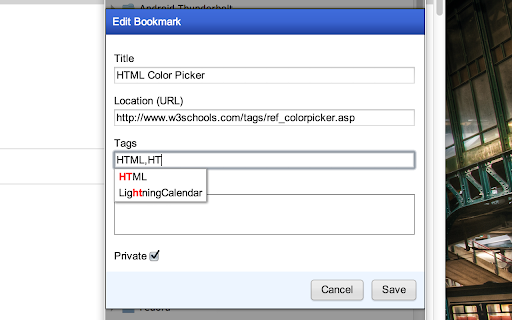
* Add, edit, delete bookmarks.
* Extension icon indicates whether or not the bookmark is saved in Delicious.

Options include:
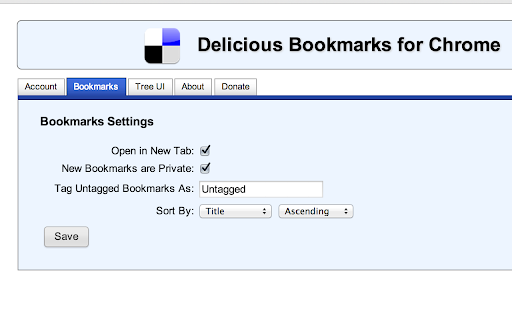
* Expand folders on mouseover.
* Choose to open in new tab or current tab.
* Change sort order.
* New bookmarks default to 'private'
* Customized tooltips can be displayed about each bookmark on mouse over.
* Specify a tag to 'dump' untagged bookmarks in to.

How to install Delicious Bookmarks chrome extension in chrome Browser
You can Follow the below Step By Step procedure to install the Delicious Bookmarks Chrome Extension to your Chrome Web browser.
- Step 1: Go to the Chrome webstore https://chrome.google.com/webstore or download the extension Delicious Bookmarks Chrome Extension Download from https://pluginsaddonsextensions.com
- Step 2: Now search for the Delicious Bookmarks in Chrome Webstore Search and click on the search button.
- Step 3: click on the Delicious Bookmarks Chrome Extension Link
- Step 4: in the next page click on the Add to Chrome button to Download and Install the Delicious Bookmarks extension for your Chrome Web browser .
Delicious Bookmarks Chrome extension Download
Looking for a method to Delicious Bookmarks Download for Chrome then this download link is for you.It is the Delicious Bookmarks Chrome extension download link you can download and install Chrome Browser.
Download Delicious Bookmarks chrome extension (CRX)
-
Copies Delicious bookmarks to the Google Chrome bookmark bar. Groups them by tag in named folders on the bookmark bar. It is sweet.
-
A browser extension that sorts and organizes bookmarks, also has an edit mode.
-
Best visual Bookmarker for creating content for your Gmail Newsletters, HTML Newsletters, Website/Blog and Social bio links.
-
Tidy Bookmarks
-
This extension displays a list of your bookmarks filtered by instant search. That's it.
-
Tag your bookmarks with #'hash'tag!
-
Delicious extension imitating the good old Firefox addon
-
Manage bookmarks with tags.
-
This extension is a incremental search UI for online bookmarks(Google Bookmarks, Pinboard, etc.), You can find bookmarks quickly.
-
A more efficient way to view and manage your bookmarks menu.