Chrome //
Extensions
Chrome //
Extensions  Chrome
Web store
Chrome
Web store DOM Zelda Chrome Extension
-
Chrome Extension Page
-
Total Number of Extension users:190 +
-
Reviewed by :14 Chrome Users
-
Author Name:
-
['lessbutprobablybetter@gmail.com', 'corridorr']
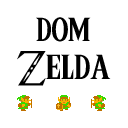
 Navigate to a webpage and click the extension button once it is in your toolbar. Youll gain a Link sprite in the upper left corner, that you can now control using your arrow keys. You can walk over links ( tags in HTML) and they will change color.

I wanted to learn how to make a Chrome Extension so this is my first one.
How to install DOM Zelda chrome extension in chrome Browser
You can Follow the below Step By Step procedure to install the DOM Zelda Chrome Extension to your Chrome Web browser.
- Step 1: Go to the Chrome webstore https://chrome.google.com/webstore or download the extension DOM Zelda Chrome Extension Download from https://pluginsaddonsextensions.com
- Step 2: Now search for the DOM Zelda in Chrome Webstore Search and click on the search button.
- Step 3: click on the DOM Zelda Chrome Extension Link
- Step 4: in the next page click on the Add to Chrome button to Download and Install the DOM Zelda extension for your Chrome Web browser .
DOM Zelda Chrome extension Download
Looking for a method to DOM Zelda Download for Chrome then this download link is for you.It is the DOM Zelda Chrome extension download link you can download and install Chrome Browser.
Download DOM Zelda chrome extension (CRX)
-
Play snake at anytime just by opening a new tab
-
An MLG extension that puts hitmarkers in your browser.
-
Strike the web!
-
When you click the button it goes YEE!
-
Add 'MUCH WOW' to any page on the web.
-
Largest Web Store meme soundboard with over 700 sounds! Made by memesoundboard.com
-
This extension endlessly plays a video of Link saying “excuuuuse me, princess!”
-
Let Shia Labeouf motivate you with 'JUST DO IT!' monolugue
-
Bombers' Notebook from Majora's Mask
-
And his name is John Cena