Chrome //
Extensions
Chrome //
Extensions  Chrome
Web store
Chrome
Web store KeePassHttp-Connector Chrome Extension


-
Chrome Extension Page
-
Total Number of Extension users:50K +
-
Reviewed by :58 Chrome Users
-
Author Name:
-
['andy+cws@brandt.tech', 'True', 'smorks']
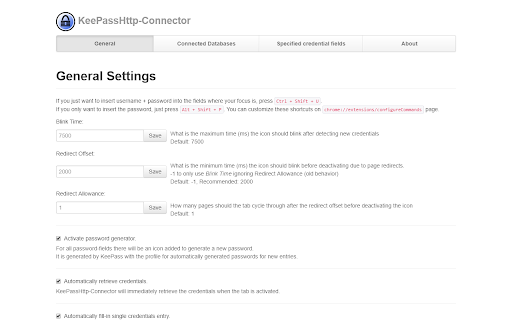
 This is a fork of the ChromeIPass extension, since it seems to be abadoned by its original author.

Some changes from ChromeIPass 2.8.1:
* storage API used to store settings
* use async http reqs
* fill password hotkey changed to Alt+Shift+P

Change Log:

1.0.11
* more http auth fixes
* changed username shortcut key to Alt+Shift+U
* exclude .xsd files
* better detection of dynamic fields

1.0.10
* fix http auth popup dialog not showing any credentials

1.0.9
* fix more http auth issues
* http auth option should now take effect immediately, rather than on browser restart

1.0.8
* for http auth, if there are multiple matching credentials, user must select one from the extension icon

1.0.7
* update library versions (jquery, jquery-ui, bootstrap)
* for http auth, try all matching credentials before prompting user

1.0.3
* fix http auth

1.0.2:
* updated keepasshttp update version url
How to install KeePassHttp-Connector chrome extension in chrome Browser
You can Follow the below Step By Step procedure to install the KeePassHttp-Connector Chrome Extension to your Chrome Web browser.
- Step 1: Go to the Chrome webstore https://chrome.google.com/webstore or download the extension KeePassHttp-Connector Chrome Extension Download from https://pluginsaddonsextensions.com
- Step 2: Now search for the KeePassHttp-Connector in Chrome Webstore Search and click on the search button.
- Step 3: click on the KeePassHttp-Connector Chrome Extension Link
- Step 4: in the next page click on the Add to Chrome button to Download and Install the KeePassHttp-Connector extension for your Chrome Web browser .
KeePassHttp-Connector Chrome extension Download
Looking for a method to KeePassHttp-Connector Download for Chrome then this download link is for you.It is the KeePassHttp-Connector Chrome extension download link you can download and install Chrome Browser.
Download KeePassHttp-Connector chrome extension (CRX)
-
Extension for automatically entering logins from KeePass
-
Provides convenient access to Owncloud Bookmarks.
-
Readonly KeePass password database integration for Chrome™
-
Passman - The password manager for NextCloud / ownCloud
-
Helper extension for KeePass to find and insert credentials, generate passwords, or save new logins without manual copy and paste
-
Enpass extension autofills logins, passwords, credit cards and identities from the Enpass desktop application.
-
Browser syncing as it should be: secure, anonymous and free! Sync bookmarks across your browsers and devices, no sign up required.
-
Kee adds private, secure and easy password management features which save time and keep your private data more secure.
-
Add full URL or hostname of the current page to the window title. Helps other apps, e.g., KeePass, identify current page.
-
KeePassXC integration for modern web browsers