
 Chrome //
Extensions
Chrome //
Extensions  Chrome
Web store
Chrome
Web store Notesheet for Browsers Chrome Extension


-
Chrome Extension Page
-
Total Number of Extension users:1K +
-
Reviewed by :11 Chrome Users
-
Author Name:
-
['support@editoy.com', 'True', 'editoy Inc.']
Notesheet for Browsers chrome extension is Right-click scrap, save to spreadsheet.

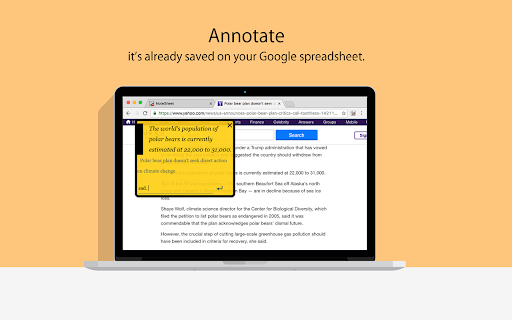
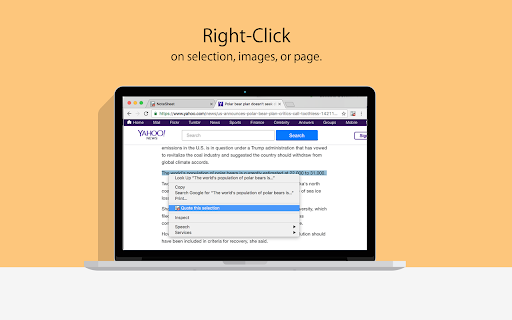

 ? The ultimate curation stationery is finally on Chrome browser !!

Quotes, Thoughts, Tweets and Video. Curate anything, anytime, anywhere.

★ Right-click on your favorite pictures, pages, links on the web. Or find the key sentences and click right. It will be saved in a spreadsheet with the source and your comments.
(Now you can also force right-clicking on sites that have blocked right-clicking.)
★ No matter how many quotes you have. Just at a glance, easy to organize.
★ Annotate and sync across Android, iOS and Chrome NoteSheet. Your Google spreadsheets become the curation cloud.


✪     Now your idea and bookmarks only on your own spreadsheet, safely placed on the reliable Google cloud.
✪    Blog using the ultimate curation blog editor Editoy Draft that shares the same curation library with Editoy NoteSheet!


PRIVACY POLICY : https://editoy.wordpress.com/notesheet-privacy-policy/
How to install Notesheet for Browsers chrome extension in chrome Browser
You can Follow the below Step By Step procedure to install the Notesheet for Browsers Chrome Extension to your Chrome Web browser.
- Step 1: Go to the Chrome webstore https://chrome.google.com/webstore or download the extension Notesheet for Browsers Chrome Extension Download from https://pluginsaddonsextensions.com
- Step 2: Now search for the Notesheet for Browsers in Chrome Webstore Search and click on the search button.
- Step 3: click on the Notesheet for Browsers Chrome Extension Link
- Step 4: in the next page click on the Add to Chrome button to Download and Install the Notesheet for Browsers extension for your Chrome Web browser .
Notesheet for Browsers Chrome extension Download
Looking for a method to Notesheet for Browsers Download for Chrome then this download link is for you.It is the Notesheet for Browsers Chrome extension download link you can download and install Chrome Browser.
Download Notesheet for Browsers chrome extension (CRX)
-
Save, organize and comment links, photos, citations, prices, addresses. Collaborate in real-time.
-
View your Chrome bookmarks by date in a sortable searchable table
-
Save citable quotes and notes from the web into Google spreadsheets.
-
A brilliant way to store, share and easily organize all your links, videos, and notes.
-
Fast data entry to your spreadsheets
-
Manage - and group - your installed extensions


