Chrome //
Extensions
Chrome //
Extensions  Chrome
Web store
Chrome
Web store Password Depot Extension Chrome Extension


-
Chrome Extension Page
-
Total Number of Extension users:10K +
-
Reviewed by :52 Chrome Users
-
Author Name:
-
['serghei@acebit.com', 'Holzhofallee 15 Darmstadt 64295 DE', 'True', 'True', 'AceBIT', 'Stelios Tsaousidis', 'AceBIT GmbH']
 NOTE: This is an add-on for the Password Depot application version 12 and above.

Before installing the extension, we recommend that you download and install the latest version of Password Depot: https://www.password-depot.de/en/download.htm. If you use this extension, Password Depot can automatically fill in web forms in the browser and add new password entries to the main program.

Password Depot is a powerful and user-friendly application (Windows, Mac OS, Android and iOS) for managing your passwords, software licenses, credit cards. Documents, Remote Desktop Connections and Encrypted Documents. More information about Password Depot can be found at: https://www.password-depot.de/en/

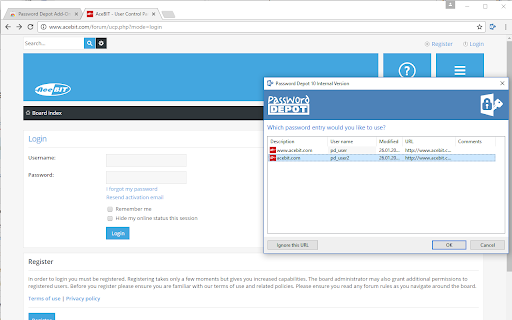

How to install Password Depot Extension chrome extension in chrome Browser
You can Follow the below Step By Step procedure to install the Password Depot Extension Chrome Extension to your Chrome Web browser.
- Step 1: Go to the Chrome webstore https://chrome.google.com/webstore or download the extension Password Depot Extension Chrome Extension Download from https://pluginsaddonsextensions.com
- Step 2: Now search for the Password Depot Extension in Chrome Webstore Search and click on the search button.
- Step 3: click on the Password Depot Extension Chrome Extension Link
- Step 4: in the next page click on the Add to Chrome button to Download and Install the Password Depot Extension extension for your Chrome Web browser .
Password Depot Extension Chrome extension Download
Looking for a method to Password Depot Extension Download for Chrome then this download link is for you.It is the Password Depot Extension Chrome extension download link you can download and install Chrome Browser.
Download Password Depot Extension chrome extension (CRX)
-
The safe way to access your personal mail.
-
Download files with Ant Download Manager (AntDM)
-
Extension for automatically entering logins from KeePass
-
Find secure shops in your Google search: install the official Trusted Shops extension
-
Steganos Password Manager Extension. Saves and fills your passwords automatically.
-
Helper extension for KeePass to find and insert credentials, generate passwords, or save new logins without manual copy and paste
-
Enpass extension autofills logins, passwords, credit cards and identities from the Enpass desktop application.
-
This extension autofills logins, passwords, and credit cards from SafeInCloud application.
-
Never forget a password again! Panda Dome Passwords will make your life easier and passwords safer.
-
Kee adds private, secure and easy password management features which save time and keep your private data more secure.