Chrome //
Extensions
Chrome //
Extensions  Chrome
Web store
Chrome
Web store Pixiv Filter Chrome Extension


-
Chrome Extension Page
-
Total Number of Extension users:4K +
-
Reviewed by :42 Chrome Users
-
Author Name:
-
['luckyhappiness347@yahoo.co.jp', 'True', 'kazu-ux']
 Hide illustrations, comics, novels, and ugoira of users and tags you dont want to see on Pixiv.

Currently, only the search page is supported. The top page is not supported.

If you want to block a user or tag, click the plus button next to it.

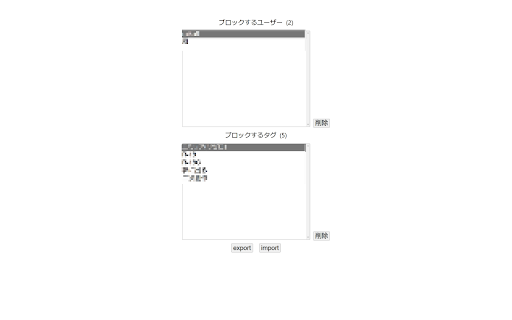
You can see the list of blocked users and tags in the settings screen of this extension. It is also possible to remove users and tags from the list.

This extension is open source and is available on GitHub.
Reviews, bug reports, and requests for additional features are welcome.

[Update History]
v 1.3.0
Performance Improvements.

v1.2.0
Supported Manifest v3.
Supported novels.
Fixed the design of the settings screen.

v1.1.0
Added support for English.

How to install Pixiv Filter chrome extension in chrome Browser
You can Follow the below Step By Step procedure to install the Pixiv Filter Chrome Extension to your Chrome Web browser.
- Step 1: Go to the Chrome webstore https://chrome.google.com/webstore or download the extension Pixiv Filter Chrome Extension Download from https://pluginsaddonsextensions.com
- Step 2: Now search for the Pixiv Filter in Chrome Webstore Search and click on the search button.
- Step 3: click on the Pixiv Filter Chrome Extension Link
- Step 4: in the next page click on the Add to Chrome button to Download and Install the Pixiv Filter extension for your Chrome Web browser .
Pixiv Filter Chrome extension Download
Looking for a method to Pixiv Filter Download for Chrome then this download link is for you.It is the Pixiv Filter Chrome extension download link you can download and install Chrome Browser.
Download Pixiv Filter chrome extension (CRX)
-
Download ugoira, illustrations, manga and novel on Pixiv, Pixiv Fanbox and Pixiv Comic.
-
Download illust, manga, ugoira(animation) and novel from Pixiv
-
This extension hides trending information from twitter timelines to make your mind calm.
-
Youtubeとgoogle検索にフィルタ機能を追加するChrome拡張です。「チャンネル及びタイトル指定での動画フィルタ」「コメントフィルタ」「自動再生の無効化」が行えます。
-
强大的 Pixiv 批量下载器。Powerful Pixiv batch downloader. 強力な Pixiv ダウンローダー。
-
You can download the images, comics and novels easily from Pixiv!
-
Pixiv Fanbox 批量下载器。Pixiv Fanbox batch downloader.
-
Twitter Stress Reduction
-
twitterの画像ツイートにボタンを追加する拡張機能。追加されたボタンを押すとツイートの画像を原寸で新しいタブに表示する。連絡先: @hogextend
-
はちまやJINへのリンクを無効にします。