Chrome //
Extensions
Chrome //
Extensions  Chrome
Web store
Chrome
Web store Remote for Slides Chrome Extension


-
Chrome Extension Page
-
Total Number of Extension users:100K +
-
Reviewed by :128 Chrome Users
-
Author Name:
-
['remote@limhenry.xyz', 'True', 'Henry Lim']
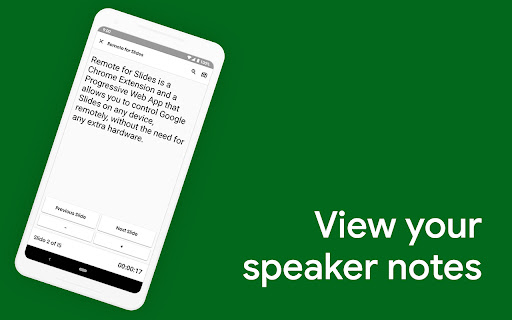
Remote for Slides allows you to control Google Slides on any device, remotely, without the need of any extra hardware. ✨ FEATURES ✔️ Control presentation slide (Next/Previous slide) ✔️ View speaker notes with adjustable font size ✔️ View timer ✔️ Control YouTube playback ✔️ Control Google Slides using Game Controller ✔️ Dark mode & Black Mode ✔️ Multiple languages support ✔️ Add to home screen ✔️ Easy to use ❓ HOW TO USE 1. Install Remote for Slides Chrome Extension from the Chrome Web Store. 2. Open your Google Slides in Editor Mode, then click on the “Present with Remote” button. 3. Next, click on the “Start Remote” button to show the 6-digit code. 4. Enter the 6-digit code in the Remote for Slides Progressive Web App (s.limhenry.xyz) or in the Remote for Slides Lite Android App (bit.ly/slides-lite), and you are ready to go! ? Game Controller Support [NEW!] - Now you can control your Google Slides presentation using your game controller (Xbox Controller, PlayStation Controller, Joy-Con, etc.). - How? Just connect your game controller to your computer (via Bluetooth or USB). Thats it. You are good to go. ? Remote for Slides Apps • Remote for Slides Progressive Web App: https://s.limhenry.xyz • Remote for Slides Lite Android App: https://bit.ly/slides-lite ? DONATE PayPal: https://go.limhenry.xyz/donate Patreon: https://patreon.com/remoteforslides Ko-fi: https://ko-fi.com/remoteforslides ???️ FIND US ON Whats Remote for Slides: https://go.limhenry.xyz/what-is-remote Twitter: https://twitter.com/remoteforslides YouTube: https://www.youtube.com/channel/UCQ3tNfjAlGqMP6P5Vg-OblQ



How to install Remote for Slides chrome extension in chrome Browser
You can Follow the below Step By Step procedure to install the Remote for Slides Chrome Extension to your Chrome Web browser.
- Step 1: Go to the Chrome webstore https://chrome.google.com/webstore or download the extension Remote for Slides Chrome Extension Download from https://pluginsaddonsextensions.com
- Step 2: Now search for the Remote for Slides in Chrome Webstore Search and click on the search button.
- Step 3: click on the Remote for Slides Chrome Extension Link
- Step 4: in the next page click on the Add to Chrome button to Download and Install the Remote for Slides extension for your Chrome Web browser .
Remote for Slides Chrome extension Download
Looking for a method to Remote for Slides Download for Chrome then this download link is for you.It is the Remote for Slides Chrome extension download link you can download and install Chrome Browser.
Download Remote for Slides chrome extension (CRX)
-
This extension will modify Google Apps URL.
-
Engage your audience with live polling and Q&A without ever leaving Google Slides
-
Allows multiple users to control a Google Slides presentation from within Google Meet
-
Instantly change the sharing permissions of a Google Docs/Sheets/Slides/Drawing to 'Anyone with the link can view'.
-
AI calendar management for a better workday
-
Live audience response polling in Google Slides
-
An Internet Clicker for Google Slides Chrome extension
-
Create timers using placeholders. ie <<0:00+>>, <<5:00->>, <
-
Broadcast any URL to computers within earshot.
-
Ensures that videos, animations, and GIFs embedded in your Pear Deck slides play at full resolution—exactly the way they should!