Chrome //
Extensions
Chrome //
Extensions  Chrome
Web store
Chrome
Web store Slido Chrome Extension


-
Chrome Extension Page
-
Total Number of Extension users:200K +
-
Reviewed by :20 Chrome Users
-
Author Name:
-
['support@slido.com', 'Vajnorská 100/A Bratislava 831 04 SK', 'True', 'Slido', 'Slido', 'sli.do s. r. o.']
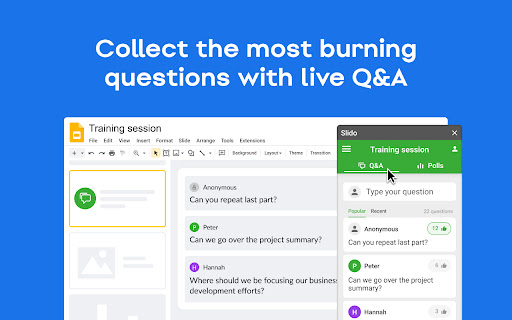
**Please install our add-on first at slido.com/google-slides** With Slido for Google slides add-on, you can: ? Create word clouds and other live polls directly in your presentation ? Run a competitive quiz with leaderboard ?♀️ Collect the most burning questions with live Q&A This extension ensures that your animations, transitions, videos and GIFs all work when presenting with our Slido for Google Slides add-on.


How to install Slido chrome extension in chrome Browser
You can Follow the below Step By Step procedure to install the Slido Chrome Extension to your Chrome Web browser.
- Step 1: Go to the Chrome webstore https://chrome.google.com/webstore or download the extension Slido Chrome Extension Download from https://pluginsaddonsextensions.com
- Step 2: Now search for the Slido in Chrome Webstore Search and click on the search button.
- Step 3: click on the Slido Chrome Extension Link
- Step 4: in the next page click on the Add to Chrome button to Download and Install the Slido extension for your Chrome Web browser .
Slido Chrome extension Download
Looking for a method to Slido Download for Chrome then this download link is for you.It is the Slido Chrome extension download link you can download and install Chrome Browser.
Download Slido chrome extension (CRX)
-
Embed live content slides into web presentations
-
Live audience response polling in Google Slides
-
Work with Salesforce records directly in your browser.
-
This extension integrates Wooclap into Google Slides.
-
Completely Free and your Data is Private. Google Classroom integration, Slider Control, Nicknames, Help tutorials
-
Collect attendance in a Google Sheet from a Google Meet.
-
Create timers using placeholders. ie <<0:00+>>, <<5:00->>, <
-
Adds an Edpuzzle button next to YouTube™ videos to quickly start editing them in Edpuzzle
-
Ensures that videos, animations, and GIFs embedded in your Pear Deck slides play at full resolution—exactly the way they should!
-
Control Google Slides on any device, remotely.